
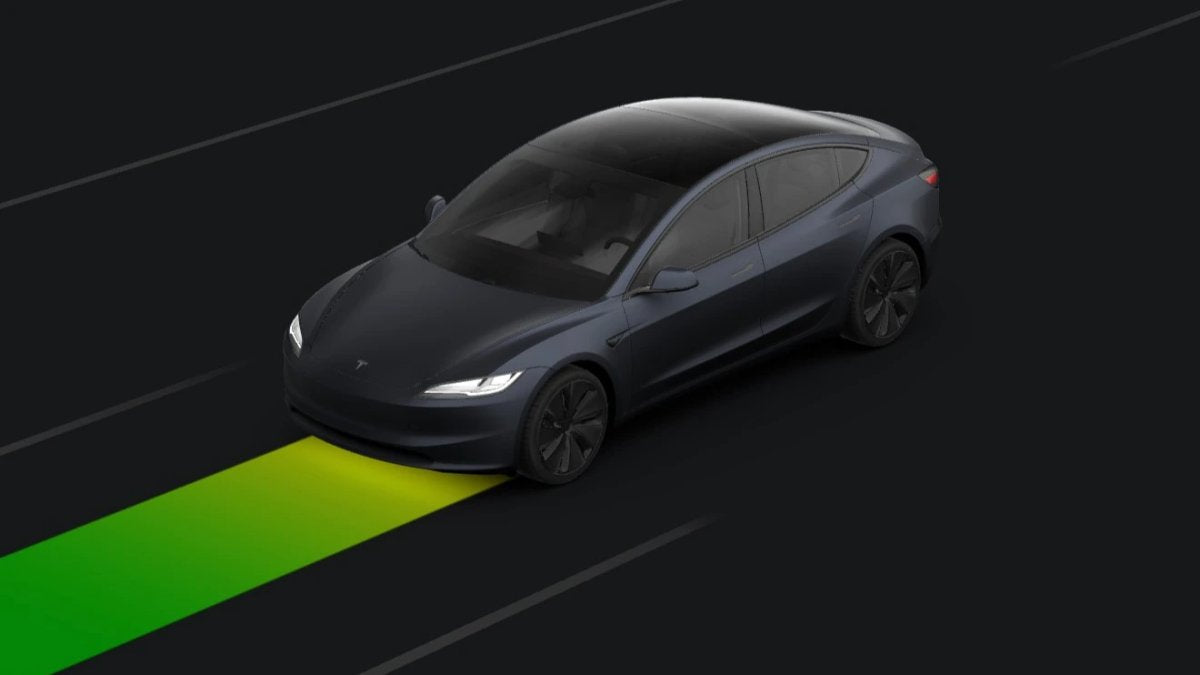

Das Rainbow Road Easter Egg ist nun in der Fahrvisualisierung der Tesla-App sichtbar. Die Bestätigung stammt aus einem Beitrag von @Tslachan. Die Änderung ist an die Softwareversion 2026.20.6.1 und die Tesla-App-Version 4.58.5 geknüpft, die Anfang des Monats ausgerollt wurden und die blaue Visualisierung des „Full Self-Driving“-Pfads sowie eine neue Self-Driving-Anzeige in der App hinzufügten. Das Feature ist auch im Software-Update 2026.20.6.6 enthalten, das die Fahrzeuge seit dieser Woche erreicht und FSD v14.3.5 beinhaltet.
$TSLA
— Tsla Chan (@Tslachan) 11. Juli 2026
Die Tesla-App zeigt Ihnen an, ob FSD aktiv ist. Ist das das erste Mal in Korea für dieses Update? pic.twitter.com/D6FFNiv1O0
Überprüfen, ob FSD aktiv ist
Die Tesla-App bietet seit Kurzem die Möglichkeit anzuzeigen, wenn FSD aktiv ist. Wenn FSD aktiviert ist, zeigt die App einen blauen FSD-Pfad an, der das widerspiegelt, was auf dem Display des Fahrzeugs zu sehen ist.
Wenn die Mario Kart-Hommage im Auto aktiviert ist, wechselt der in der App angezeigte FSD-Pfad von Blau zu einer hellen, durchlaufenden Regenbogenstrecke. Um sie zu aktivieren, verwenden Sie den Touchscreen des Fahrzeugs und gehen Sie zu Apps > Spielkiste > Rainbow Road und aktivieren Sie dann Always Rainbows.

Noch mehr Regenbögen mit Ambientebeleuchtung
Fahrzeuge, die mit einer Ambiente-Innenraumbeleuchtung ausgestattet sind, können zusätzlich Gotta Have More Rainbows aktivieren, wodurch die Ambientebeleuchtung synchron zur Straßenvisualisierung in einem Regenbogenmuster aufleuchtet.
Das Easter Egg ist nicht neu, erscheint nun aber auch in der mobilen App und spiegelt die Visualisierung des Fahrzeugs auf dem Smartphone wider.
















Teilen:
Tesla baut Produktionslinien für Model S/X zugunsten von Optimus ab
Tesla FSD rückt der regulatorischen Zulassung in Italien einen Schritt näher