
Aggiornamento Tesla 2026.20 — Le modifiche non documentate
Ogni aggiornamento Tesla include piccole modifiche non documentate. Sebbene l'aggiornamento 2026.20 non sia stato l'Aggiornamento Estivo in termini di funzionalità, ha incluso fino a 24 ore di filmati della Dashcam se si dispone di un'unità USB sufficientemente capiente. Ha inoltre aggiunto la crittografia della Dashcam per la privacy, migliorato il parental control per bloccare determinate app e introdotto "Hey, Grok" in ulteriori regioni.
Ecco l'elenco delle funzionalità non documentate che non sono state inserite nelle note di rilascio ufficiali di Tesla.
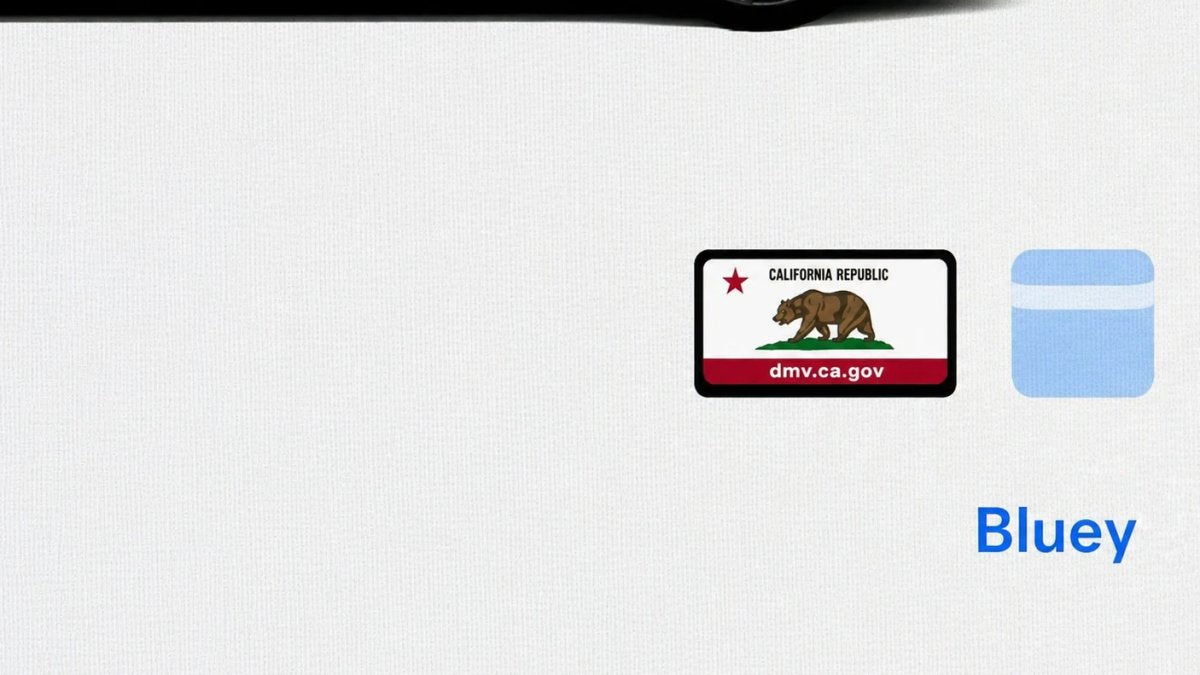
Portatarga

Con la recente aggiunta della personalizzazione della targa da parte di Tesla, ora è presente una scorciatoia in Comandi > Software, simile alla funzione Colorizer/Wrap. In questo aggiornamento, l'icona è stata modificata aggiungendo una cornice intorno all'immagine della targa. Toccando l'icona si apre ancora la funzione di personalizzazione della targa.
Decrittazione video Dashcam

Con l'aggiornamento 2026.20, Tesla ha iniziato a crittografare i filmati della Dashcam. Questo ha coinciso con l'estensione dei filmati recenti da 1 ora a un massimo di 24 ore, a seconda di determinati requisiti.
Dato che un'unità USB rimossa potrebbe contenere fino a 24 ore di guida che potrebbero rivelare il luogo di lavoro, la casa e altri luoghi importanti, la crittografia funge da importante misura di privacy.
Tesla ha anche aggiunto un pulsante al Visualizzatore Dashcam per decrittografare un clip specifico, facilitando la visualizzazione dei filmati quando l'unità USB viene collegata a un computer.
Tesla ha inoltre introdotto uno strumento che consente di decrittografare qualsiasi video sul proprio computer, a condizione di accedere al proprio account Tesla per dimostrare di essere i proprietari del filmato.
Corsie preferenziali

Il navigatore Tesla ora supporta le corsie preferenziali, aiutando i conducenti a essere più consapevoli di quali corsie possono utilizzare.
Ciò è particolarmente importante per l'FSD, in quanto consente al veicolo di sapere quali corsie sono appropriate senza fare affidamento esclusivamente sulla lettura di segnali che potrebbero sfuggire.
Miglioramenti alla Modalità Assistenza (Service Mode)

È disponibile un nuovo pannello di pulizia della visuale della telecamera anteriore in Assistenza alla guida per supportare la pulizia della superficie del parabrezza davanti alle telecamere. Il pannello mostra un flusso video della telecamera in tempo reale con la possibilità di ingrandire l'immagine.
Modelli: Model 3, Model Y, Model S (2021+), Model X (2021+) con DAS AI4 e Cybertruck
Il pannello dell'unità di trasmissione (Drive Unit) ora supporta popup interattivi con grafici dei segnali. I segnali con l'icona di un grafico possono essere toccati per aprire una finestra popup trascinabile e ridimensionabile per il monitoraggio dei segnali in tempo reale.
Modelli: Model 3, Model Y, Model S (2021+), Model X (2021+), Cybertruck
Aggiornamento 2026.26
Il massiccio Aggiornamento Estivo di Tesla è già in fase di distribuzione e le funzionalità non documentate stanno iniziando ad accumularsi.
















Condividi:
Elon Musk smentisce le notizie sulla vendita di Tesla in Cina
Tesla estende la garanzia del PCS del Cybertruck a 8 anni e rimborserà i proprietari per le riparazioni