Buzz sur Reddit · Cette semaine
Tesla FSD v14.3 Lite pour HW3 : Stationnement, mode SLOTH et ce qui manque
Les Tesla HW3 bénéficient enfin du stationnement, de la marche arrière et d'un nouveau profil de vitesse SLOTH. Voici ce qu'apporte FSD v14.3 Lite, qui en profite et ce qui manque encore.


Réponse rapide
FSD (Supervisée) v14.3 Lite est la toute dernière version de la Conduite entièrement autonome pour l'ancien ordinateur HW3 de Tesla. Tesla explique avoir « distillé l'intelligence du HW4 V14 pour le HW3 ». Sur les Model 3 et Model Y équipées du HW3, cette version ajoute le stationnement, la sortie de stationnement, la marche arrière, les options d'arrivée, le démarrage en autonomie depuis le mode Parking et les profils de vitesse, incluant un nouveau profil SLOTH, plus lent que le profil CHILL.
Le déploiement se fait avec la mise à jour 2026.38.5, et la version 2026.38.5.1 apporte pour la première fois cette fonctionnalité aux Model S et Model X dotées du HW3 et d'un processeur Intel. Ces véhicules bénéficient des profils de vitesse, mais pas encore des options d'arrivée, du démarrage depuis le mode Parking ou de la marche arrière. Le HW3 ne pourra toujours pas profiter de la FSD sans supervision.
Pour les propriétaires de HW3, l'attente a été longue. Le HW3 est resté plus d'un an sur la FSD v12 avant l'arrivée de la version v14 Lite cet été. Cette semaine, la v14.3 Lite atteint enfin un large éventail de véhicules plus anciens.
La première version v14.3 Lite est apparue avec la mise à jour 2026.33.5 le 7 octobre. La mise à jour 2026.38.5 a suivi le 10 octobre avec des notes de version complètes, et la 2026.38.5.1 a commencé à être déployée sur les anciennes Model S et Model X le 14 octobre. Voici ce qui change, ce qui manque encore et comment vérifier si votre voiture est la prochaine sur la liste.
Ce qu'en disent les propriétaires
Propriétaires sur X
Les premiers utilisateurs affirment qu'il s'agit d'une nette amélioration par rapport à la v12. Les deux points les plus marquants sont un meilleur contrôle de la vitesse et moins de rappels concernant le volant.
Propriétaire sur X
Un propriétaire l'a installée sur deux anciennes Model X, dont une de 2017, et a publié une liste des fonctionnalités incluses ou non. Les profils de vitesse et une conduite plus fluide sont bien présents, tandis que les options d'arrivée, la marche arrière et le démarrage depuis le mode Parking sont encore absents sur ces modèles.
Premiers testeurs
Les testeurs signalent moins de tremblements du volant et un comportement stable sous une forte pluie. Parmi leurs listes de bizarreries, on trouve de brèves hésitations face aux ombres, des feux jaunes clignotants traités comme des feux rouges, des alertes d'éblouissement solaire et l'absence de stationnement dans les garages.
Qu'est-ce que la FSD v14.3 Lite ?
Il s'agit d'une version allégée de la FSD v14 de Tesla, conçue pour fonctionner sur l'ordinateur HW3, moins puissant que le nouveau HW4 (AI4). Tesla entraîne le modèle principal sur le HW4, puis le compresse pour le HW3, d'où le nom « Lite ».
Selon les notes de mise à jour 2026.38.5, la v14.3 Lite apporte au HW3 l'apprentissage par renforcement et les améliorations du modèle hors ligne issues du HW4. Tesla note une meilleure réactivité lors des insertions, avec les piétons, aux feux de circulation et en cas de changement de file brutal. Le constructeur mentionne également moins de ralentissements injustifiés, une direction plus douce et un centrage dans la voie plus stable.
Quelles sont les nouveautés de la FSD v14.3 Lite pour le HW3 ?
Pour les Model 3 et Model Y équipées du HW3, les notes de version listent les fonctionnalités suivantes :
- Stationnement, sortie de stationnement et marche arrière. La FSD peut désormais se garer, sortir d'une place et reculer par elle-même.
- Options d'arrivée. Choisissez où vous souhaitez être déposé : parking, rue, allée ou bord de route. Votre choix est mémorisé pour chaque destination.
- Démarrage de la conduite autonome depuis le mode Parking. Un bouton de démarrage apparaît dès que vous êtes assis, attaché et que la caméra habitacle n'est pas obstruée.
- Profils de vitesse, toujours disponibles. Votre vitesse est définie selon votre profil, la limite de vitesse et le trafic environnant.
- Nouveau profil SLOTH. Il est plus lent et plus prudent que le profil CHILL.
- Commandes à l'écran. Vous pouvez modifier le profil de vitesse et les options d'arrivée directement depuis la visualisation de la conduite autonome.
Le site Not a Tesla App a également repéré un compteur de séquence FSD qui suit la distance parcourue sans intervention, bien qu'il ne figure pas dans les notes de version.
Qu'est-ce qui a changé avec la molette de droite ?
C'est le changement qui vous surprendra probablement le plus lors de votre premier trajet. Sur la v14.3 Lite, la molette de droite sert désormais à modifier le profil de vitesse au lieu de régler précisément le décalage de vitesse maximale. Tesla précise également qu'un profil plus assertif augmente désormais davantage la vitesse maximale qu'auparavant.
Si vous aimiez affiner votre décalage km/h par km/h, préparez-vous à réfléchir en termes de profils : SLOTH, CHILL et les options plus rapides au-dessus.
Comment fonctionne le démarrage depuis le mode Parking et la confirmation au frein ?
Lorsque les conditions requises sont remplies, un bouton de démarrage de la conduite autonome apparaît lorsque la voiture est en mode Parking. Vous pouvez également appuyer sur la molette de droite pour démarrer.
Si vous souhaitez une étape supplémentaire avant que la voiture ne bouge, activez la « Confirmation au frein » dans Conduite autonome > Confirmation au frein. Avec cette option activée, vous devez appuyer sur le frein et le relâcher avant que la FSD ne s'active. C'est une bonne précaution pour les premières semaines, surtout dans les allées étroites ou les garages.
Quelles Tesla reçoivent la FSD v14.3 Lite ?
Les véhicules équipés de l'ordinateur HW3 et d'un achat ou d'un abonnement FSD (Supervisée) actif. Le déploiement se fait par vagues :
- 7 octobre : la mise à jour 2026.33.5 apporte la première version v14.3 Lite, repérée initialement sur une Model 3 de 2020.
- 10 octobre : la mise à jour 2026.38.5 commence son déploiement avec les notes de version complètes de la v14.3 Lite pour la Model 3 équipée du HW3.
- 13–14 octobre : la mise à jour 2026.38.5.1 apporte pour la première fois la v14.3 Lite aux Model S et Model X avec processeur Intel et HW3, selon Not a Tesla App.
Les Model S et Model X avec HW3 bénéficient pour l'instant d'un ensemble de fonctionnalités réduit. Voici la comparaison entre les deux groupes aujourd'hui :
| Fonctionnalité | Model 3 / Model Y (HW3) | Model S / Model X (Intel HW3) |
|---|---|---|
| Conduite plus fluide (HW4 V14) | Model 3 / Model Y (HW3) : Oui | Model S / Model X (Intel HW3) : Oui |
| Profils de vitesse (dont SLOTH) | Model 3 / Model Y (HW3) : Oui | Model S / Model X (Intel HW3) : Oui |
| Options d'arrivée | Model 3 / Model Y (HW3) : Oui | Model S / Model X (Intel HW3) : Pas encore |
| Démarrage depuis le mode Parking | Model 3 / Model Y (HW3) : Oui | Model S / Model X (Intel HW3) : Pas encore |
| Marche arrière | Model 3 / Model Y (HW3) : Oui | Model S / Model X (Intel HW3) : Pas encore |
| Évitement automatique de collision | Model 3 / Model Y (HW3) : Non, HW4 uniquement | Model S / Model X (Intel HW3) : Non, HW4 uniquement |
Not a Tesla App note également que le mode Halloween, inclus dans la même mise à jour, n'est pas pris en charge sur les véhicules Intel.
Comment savoir si ma Tesla possède le HW3 ?
Allez dans Contrôles > Logiciel > Informations complémentaires sur le véhicule et regardez la ligne « Ordinateur Autopilot ». Si elle indique « HW3 », vous êtes sur la voie de la v14.3 Lite. Si elle indique « HW4 » ou « AI4 », vous recevez les versions v14.3 complètes.
Comment obtenir la mise à jour plus rapidement ?
Le déploiement est progressif, beaucoup de propriétaires la recevront donc au cours des prochains jours plutôt qu'immédiatement. Quelques habitudes peuvent aider :
- Gardez la voiture connectée au Wi-Fi, idéalement garée pendant la nuit.
- Réglez les mises à jour logicielles sur « Avancé » au lieu de « Standard » dans les paramètres de la voiture pour être prioritaire dans la file d'attente.
- Vérifiez l'application Tesla et l'écran « Logiciel » de la voiture pour détecter une mise à jour en attente.
Le HW3 bénéficiera-t-il un jour de la FSD sans supervision ?
Non, d'après les déclarations de Tesla. L'entreprise a affirmé que le HW3 ne prendrait pas en charge la FSD sans supervision ni la FSD v15, et Not a Tesla App rapporte que la v14 Lite devrait être la dernière branche FSD majeure pour le HW3. Des mises à jour mineures pourraient encore ajouter des fonctionnalités manquantes, comme le stationnement sur les Model S et Model X.
Pour les propriétaires ayant acheté la FSD, Tesla a promis une mise à niveau matérielle avec un ordinateur IA plus puissant. Plus tôt cette année, Tesla a précisé que cette mise à niveau inclurait également les caméras, et que les propriétaires pourraient choisir d'échanger leur véhicule contre une remise supplémentaire sur un nouveau. Tesla n'a pas encore annoncé de dates ni de tarifs pour cette mise à niveau.
Que doivent faire les propriétaires de HW3 maintenant ?
- Confirmez votre type d'ordinateur via Contrôles > Logiciel > Informations complémentaires sur le véhicule.
- Lisez les notes de version à l'écran après l'installation de la mise à jour.
- Essayez d'abord les profils SLOTH ou CHILL, puis augmentez progressivement une fois que vous avez confiance en ce nouveau comportement.
- Activez la « Confirmation au frein » si vous prévoyez d'utiliser le « Démarrage depuis le mode Parking ».
- Restez vigilant. Les premiers testeurs signalent encore des moments étranges face aux feux jaunes clignotants et avec une luminosité basse.
Une version FSD plus fluide rend les longs trajets plus tentants dans une Tesla plus ancienne. Si vous prévoyez d'autres voyages cet automne, avoir plus de points de charge sur votre route est un atout.
Sélection Teslahubs
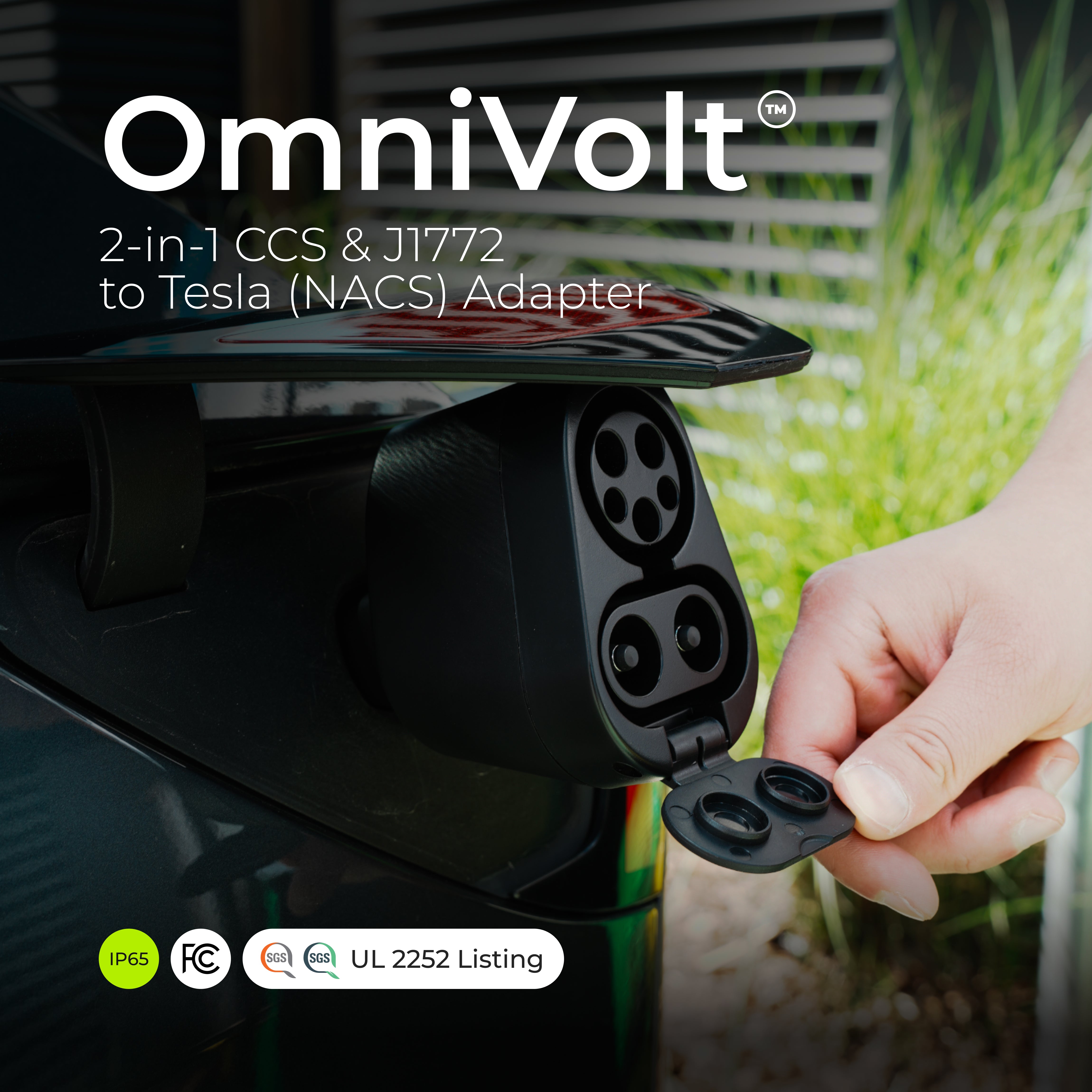
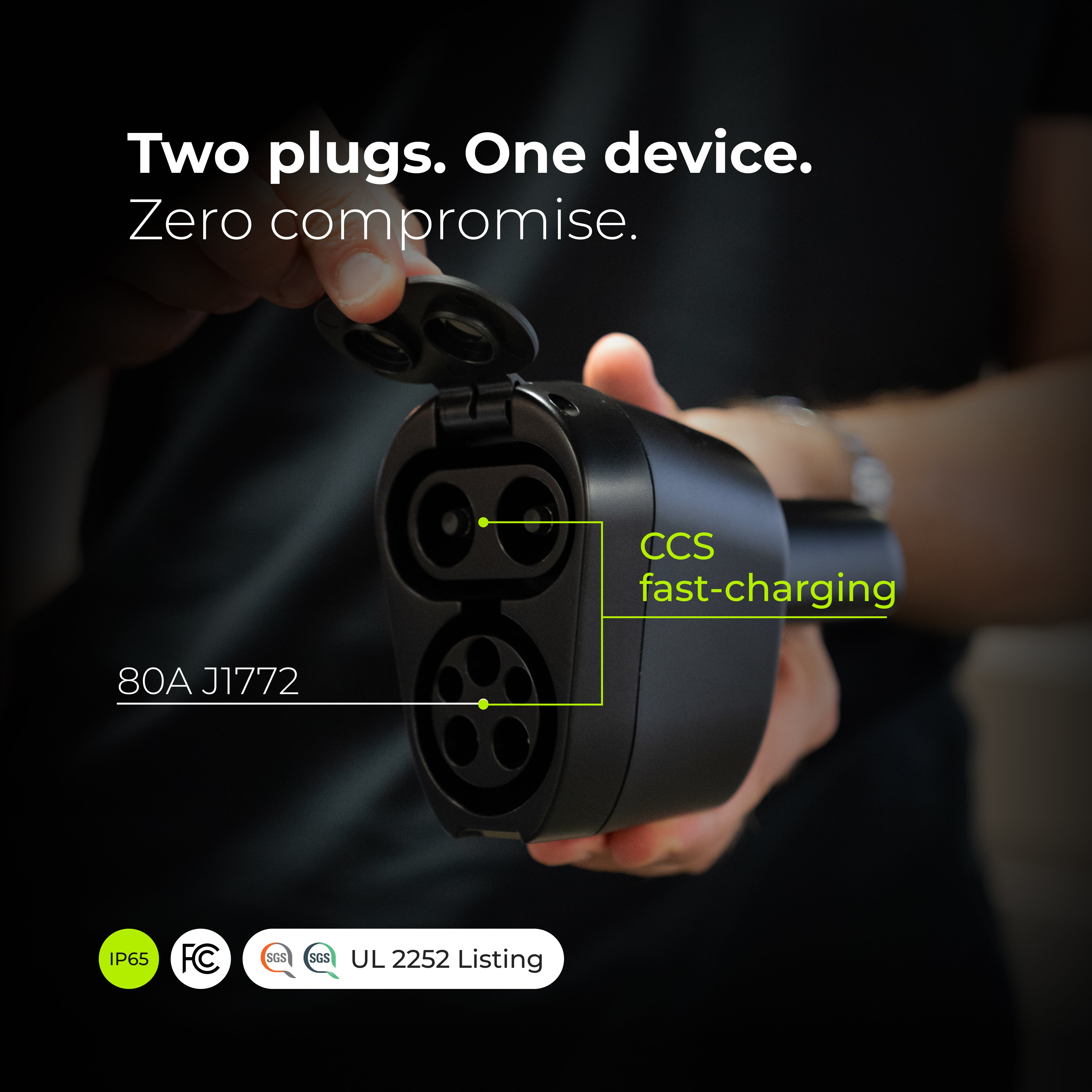
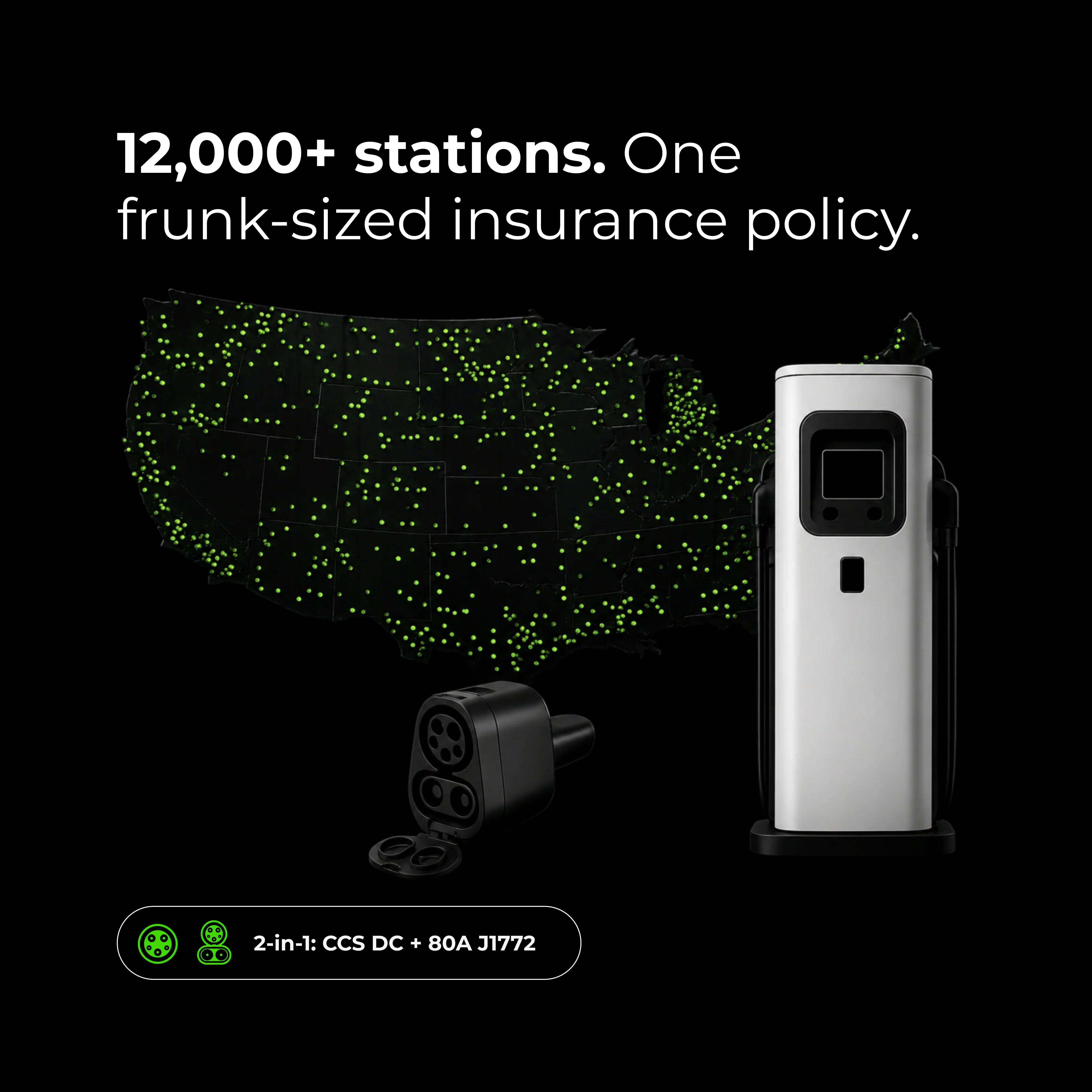
CCS1 et J1772. Un seul adaptateur.
L'adaptateur 2-en-1 OmniVolt élargit vos options de recharge aux bornes de recharge rapide DC CCS1 et aux stations J1772 de niveau 2, avec une charge DC jusqu'à 500V et 300A. Pour Model 3, Model Y, Model S, Model X et Cybertruck. 139 $. Vérifiez que votre Tesla prend en charge la recharge CCS avant votre achat.

Également à la une cette semaine
- Le départ d'urgence (Emergency Drive Away) fait parler. Les Tesla peuvent désormais quitter une station Supercharger aux États-Unis tout en étant branchées, mais Tesla prévient que les réparations des bornes peuvent atteindre 25 000 $ et n'a pas précisé qui paierait.
- Le HW4 reçoit la FSD v14.3.12. Tesla affirme qu'un compilateur d'IA réécrit permet une réactivité 20 % plus rapide, et la vitesse maximale de la fonctionnalité Smart Summon passe à 13 km/h.
- Les sièges chauffants peuvent désormais s'éteindre automatiquement. La mise à jour 2026.32 ajoute une temporisation qui peut éteindre les sièges chauffants après 20 minutes.
- Révélation du Roadster prévue pour le 15 octobre. L'événement retardé du Roadster de Tesla est programmé à Waco, au Texas, après que les conditions météorologiques l'ont repoussé de deux semaines.
FAQ
Qu'est-ce que la FSD v14.3 Lite ?
La FSD v14.3 Lite inclut-elle le stationnement pour le HW3 ?
Qu'est-ce que le profil de vitesse SLOTH ?
Quelle mise à jour contient la FSD v14.3 Lite ?
Le HW3 bénéficie-t-il de l'évitement automatique de collision ?
Le HW3 aura-t-il droit à la FSD sans supervision ?
Sources : Drive Tesla : notes de version 2026.38.5 · Not a Tesla App : Model S/X · Not a Tesla App : Plan HW3 · Tesla North · Basenor : 2026.38.5.1 · AutoPilot Review · Electrek : Départ d'urgence · Not a Tesla App : 2026.32 · Not a Tesla App : Événement Roadster
Teslahubs est une marque indépendante du marché de l'après-vente. Non affiliée à, parrainée par ou approuvée par Tesla, Inc. Tesla, Model S, Model 3, Model X, Model Y, Cybertruck, Autopilot et Full Self-Driving sont des marques de commerce de Tesla, Inc. Les commentaires des propriétaires sont paraphrasés à partir de publications publiques telles que rapportées par les sources liées.
← Plus d'actualités concernant les propriétaires de Tesla