
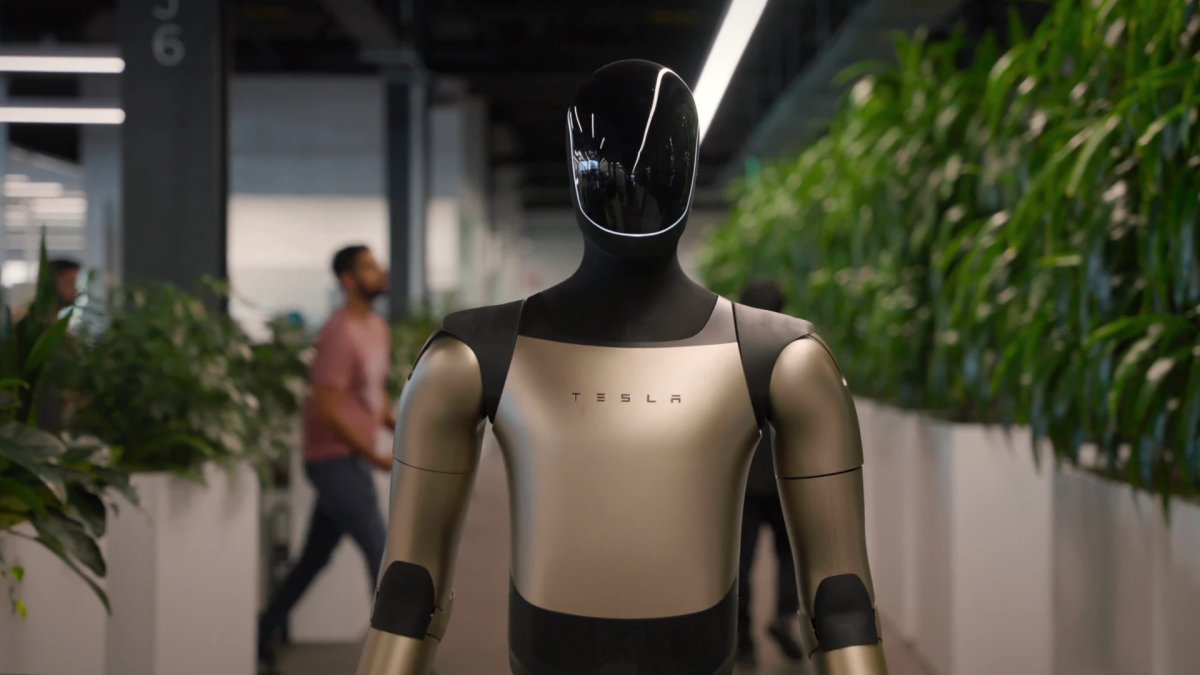
Robot Tesla : Commandes et clé sur téléphone

La dernière mise à jour de l'application introduit plusieurs chaînes de caractères liées au robot qui pourraient concerner Optimus.
Ces chaînes font référence à des commandes de robot telles que l'arrêt d'urgence (e-stop) et la reprise, ainsi qu'à des éléments liés à la collecte de données à domicile. Il existe également de multiples références à une clé de robot sur téléphone et à son processus de jumelage.
Il est trop tôt pour conclure que cela est destiné à un usage grand public, mais une clé sur téléphone pourrait être utilisée afin qu'Optimus n'accepte les commandes que de la part de personnes autorisées.
Voici des exemples de clés identifiées dans l'application :
- robot_alerts_filter_all
- robot_estop_slide_for_estop
- robot_home_data_collection_title
- robot_phone_key_connected
- robot_phone_key_error_cannot_communicate
Statistiques de conduite autonome

Cette mise à jour active les statistiques de conduite autonome dans l'application mobile, qui avaient été repérées pour la première fois en février. L'interface utilisateur a été mise à jour depuis pour mieux s'aligner sur l'application de conduite autonome disponible dans le véhicule.
L'application et le véhicule utilisent le même code pour générer ces statistiques. Dans l'application, elles sont affichées dans une vue Web, et le véhicule génère également l'application de conduite autonome à l'aide de HTML.
La nouvelle section Conduite autonome de l'application affiche votre pourcentage de kilomètres parcourus en FSD.
Lorsqu'elle est ouverte, elle présente les mêmes mesures que le véhicule, notamment les kilomètres parcourus en FSD, le pourcentage de kilomètres parcourus en FSD depuis la FSD v14.2, le nombre de jours consécutifs où vous avez utilisé la FSD, et plus encore.
Cela ne se limite pas aux véhicules HW4. Les statistiques sont également disponibles pour les véhicules HW3 ayant reçu la FSD v14 Lite, actuellement en cours de déploiement.
Habillages personnalisés dans l'application

Avec cette version et la mise à jour estivale à venir, l'application ajoute la prise en charge du téléchargement d'habillages (wraps) de véhicule personnalisés.
Les habillages sont de simples images PNG, ce qui les rend faciles à enregistrer et à partager sur les plateformes sociales.
Après avoir enregistré une image sur votre téléphone, vous pouvez la télécharger via l'application sous Créations > Habillage.
L'application prévisualisera votre véhicule avec l'habillage et vous permettra de le télécharger directement sur la voiture sans utiliser de clé USB.
Une décompilation indique également qu'il existe une limite au nombre d'habillages pouvant être stockés, avec des messages tels que « Stockage d'habillages plein » et « Votre véhicule a atteint la limite de téléchargement d'habillages. Remplacer votre plus ancien habillage téléchargé par celui-ci ? »
Exigences
- Un véhicule équipé d'une unité d'infodivertissement AMD ou Intel
- Tous les modèles de véhicules sont pris en charge
- Une clé sur téléphone configurée est requise pour télécharger des habillages ; la simple connexion à votre compte ne suffit pas
- Limite de stockage des habillages non atteinte
Cette fonctionnalité nécessite la mise à jour du véhicule Tesla 2026.26.
















Partager:
Premier aperçu de la fonctionnalité de habillage personnalisé de Tesla dans l'application mobile [VIDÉO]
Votre Tesla peut désormais se recharger sur 12 000 bornes qui lui étaient auparavant inaccessibles.