
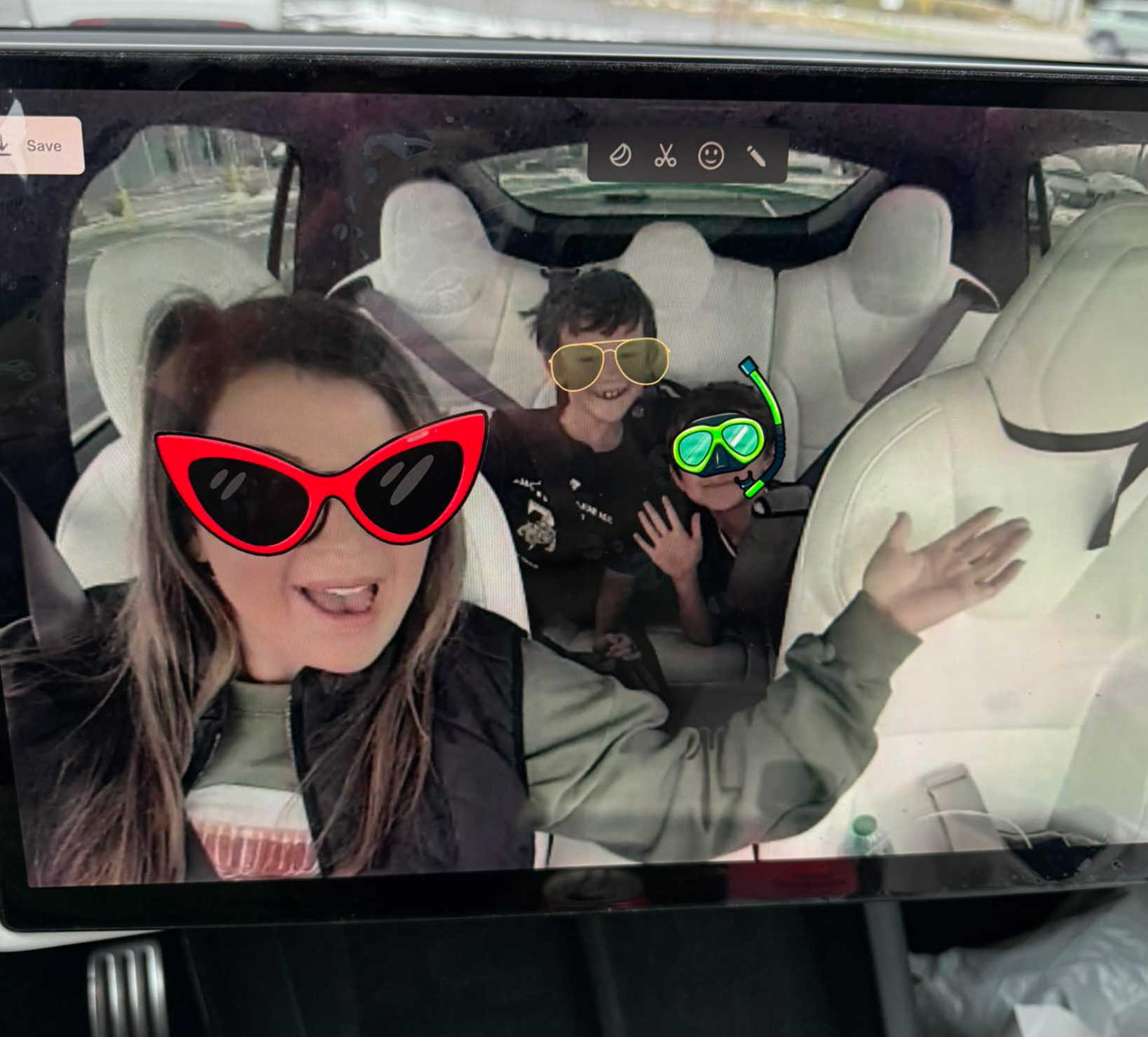
With the release of the 2025 Tesla Holiday Update, Tesla has once again combined practicality with pleasure by introducing an exciting new feature: the Tesla Photobooth. This Toybox application allows users to transform their car's interior into a whimsical photo studio, creating a fun atmosphere for capturing precious moments.
Although it may seem like a novelty, the Photobooth feature is well crafted and adds an enjoyable element to your driving experience. Whether you're at a Supercharger station waiting for your vehicle to charge or out on a road trip with friends, this tool allows you to document your adventures in a playful way. You can snap amusing photos and enhance them with various props, emulating a classic photo booth encounter.

How it Works
Found in the Toybox section, the Photobooth app caters to quick and socially sharable snapshots. Users simply press the shutter button to initiate a 3-second countdown to prepare everyone for the picture. Before shooting, there is an option to choose from a variety of filters and borders located at the bottom of the interface. These options include vintage themes, popular Instagram styles, references to Optimus and Cybertruck, ties to xAI, as well as basic blur and pixelation effects.
Once your picture is taken, whether it has a filter or not, the fun really starts. Much like traditional photo booths, you can overlay emojis or stickers, as well as draw with a comprehensive set of tools available for doodling. These props can be easily manipulated; users can resize or rotate them using touch gestures. For added creativity, there's also a feature allowing you to design custom stickers in real time. Simply select the “Custom Sticker” tool to draw a circle around any object in your photo—be it a coffee cup or your dog—a sticker is created that you can reuse for future pictures.

The App Connection: Save & Share
The enjoyment doesn't stop at the touchscreen. Tesla has ensured a smooth transition for sharing pictures to your smartphone. To take advantage of this feature, you’ll need the latest version of the Tesla App (v4.51.5 or later). Following a Photobooth session, a “Recent Photos” notification appears, similar to the alerts for unread Sentry Mode or Dashcam videos, conveniently sliding in just beneath the quick control panel. Users can swipe right to dismiss this pop-up.
For access to older pictures, a new section for Photobooth has been introduced at the bottom of the home screen. In this gallery, users can tap on a photo and either save it to their phone’s camera roll or use the device's sharing options to distribute it on social media or share it with friends.

This delightful feature is currently available on all AMD Ryzen Tesla models with the holiday update. It adds a charming touch that further illustrates how seamlessly integrated the Tesla experience is.
Subscribe to our newsletter to stay informed about the latest Tesla advancements, upcoming features, and software updates.
















Share:
Tesla’s 6-Seat Model Y L Secures EU Type Approval
T-hubs - Dash Screen Pro 2026, with CarPlay Ultra for Model Y, 3, Juniper