
Tesla Frunk-or-Treat: DIY Halloween Ideas for Every Model
Every Tesla includes a front trunk, and Halloween is the perfect time to turn that space into a playful fright. Below are frunk-or-treat and trunk-or-treat ideas you can adapt for any model. Tesla’s Halloween Mode includes a Treat or Treat feature that plays spooky sounds as visitors approach and displays a smirking Jack-o'-lantern on the vehicle’s display. You can also add a spooky lock sound to complete the vibe.
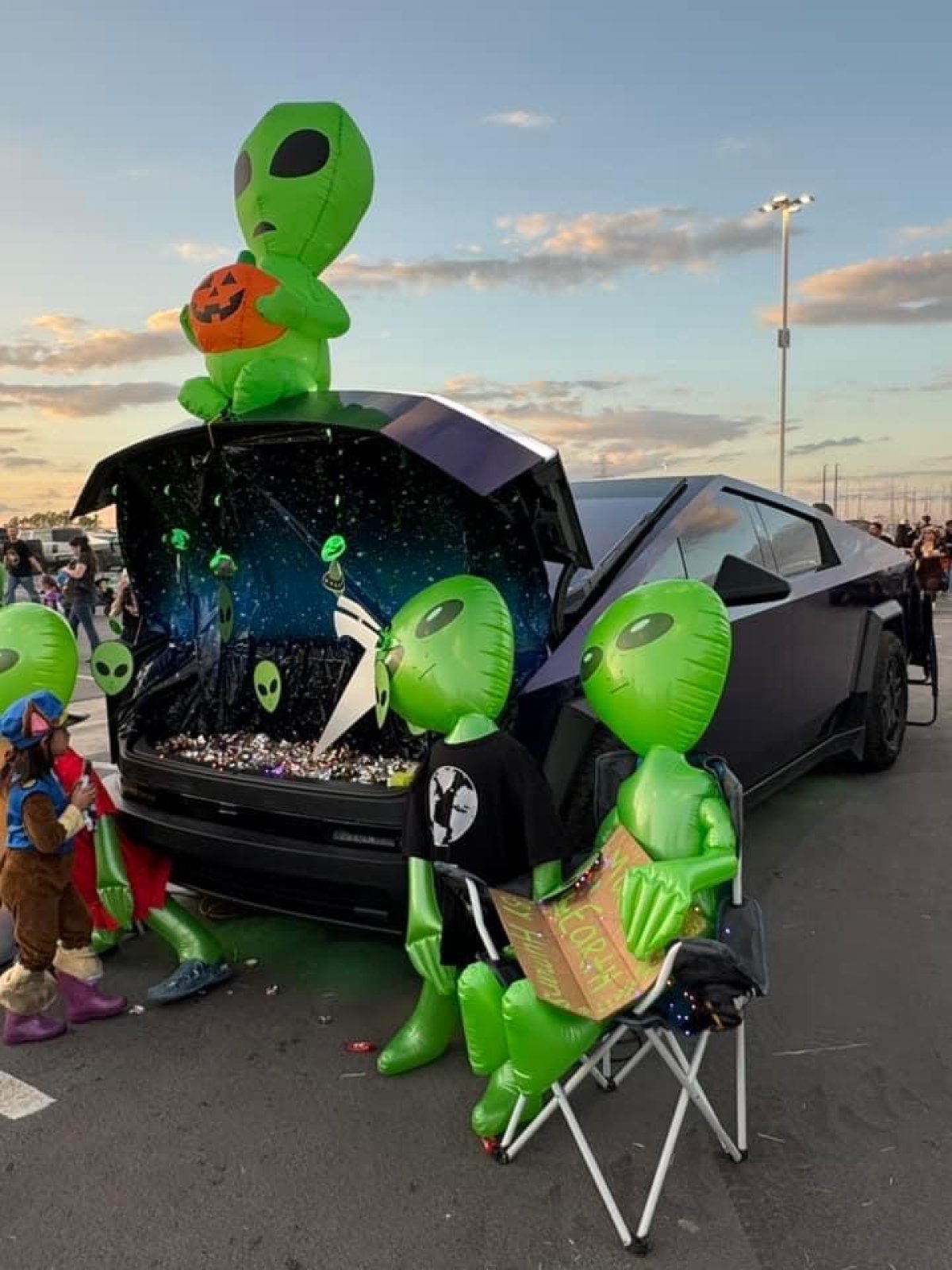
Aliens

The Cybertruck’s angular, sci-fi look makes an alien motif an easy win—lean into the extraterrestrial aesthetic that turns heads when it rolls into town.
Halo

TeslaKen from the Cybertruck Owner’s Club forums created a Master Chief cosplay from Halo and wrapped a Cybertruck to resemble a Warthog—an impressive game-inspired setup.
Jaws

Turn your car into a shark with spiky teeth. Chrisheninger on Reddit adds shark teeth every year for trick-or-treaters. To DIY: use white posterboard, tape, and scissors. Fold the posterboard, cut triangles of various sizes, and tape them to the top and bottom edges of the frunk. For the lower edge, you can wedge the teeth in the gap between the body and the frunk instead of taping. Clear cellophane tape over the headlights can create an orange or red glow.
Toothless

@jenstreet transformed a Tesla into Toothless from How to Train Your Dragon and shared a thorough how-to. For full instructions, see their guide on Forged Flare.
Model X Vampire Bat

Cardboard teeth instantly turn a Model X into a vampire bat. Add more teeth near the gullwing doors and drape torn black sheets from the open doors to suggest bat wings. Pair the scene with a Tesla Lightshow for extra drama.
Lightning McQueen

For red Teslas, a quick option is a Lightning McQueen sunshade for less than $20 (Amazon link). Or go big like S.E. Robinson Jr. with custom decals. Although there hasn’t been a new Cars movie since 2017, the look remains popular with young kids.

Shark

Another shark approach adds eyes, a second row of teeth, and a dorsal fin for a playful yet menacing effect.
Skeleton Chauffeur

Don’t overlook the cabin. A skeleton in the driver’s seat pairs well with interior lighting, Tesla’s Rave Cave feature, or a Light Show that flashes different colors on the center display. If you’re nearby, you can also use Tesla’s Boombox feature to talk to trick-or-treaters.
Other Ideas

The frunk can showcase gravestones, ghosts, or layers of spider webbing, plus battery-powered lights and a fog machine for a haunting glow. Owners of older Model S or Model X vehicles with a nosecone can add short teeth and googly eyes on the hood for a lighthearted twist.
Boombox

Use the Boombox feature, and keep it active with Camp Mode, to play creepy Halloween music throughout the evening. A small fog generator can elevate the scene.
Lightshow
Tesla’s Lightshow can sync music and lighting—and on Model X, even the gullwing doors—to tie everything together. One limitation: you currently need to re-enable the Lightshow manually from inside the vehicle because it can’t yet be started remotely from the Tesla app.
This year also brings the first Halloween with Cybertrucks joining in. The truck’s large, powered frunk and distinctive shape invite creative builds, and the frunk includes 120V power for even more possibilities.
















Teilen:
Musk Confirms Bigger Tesla UI Text; 48-Point Option Requested