
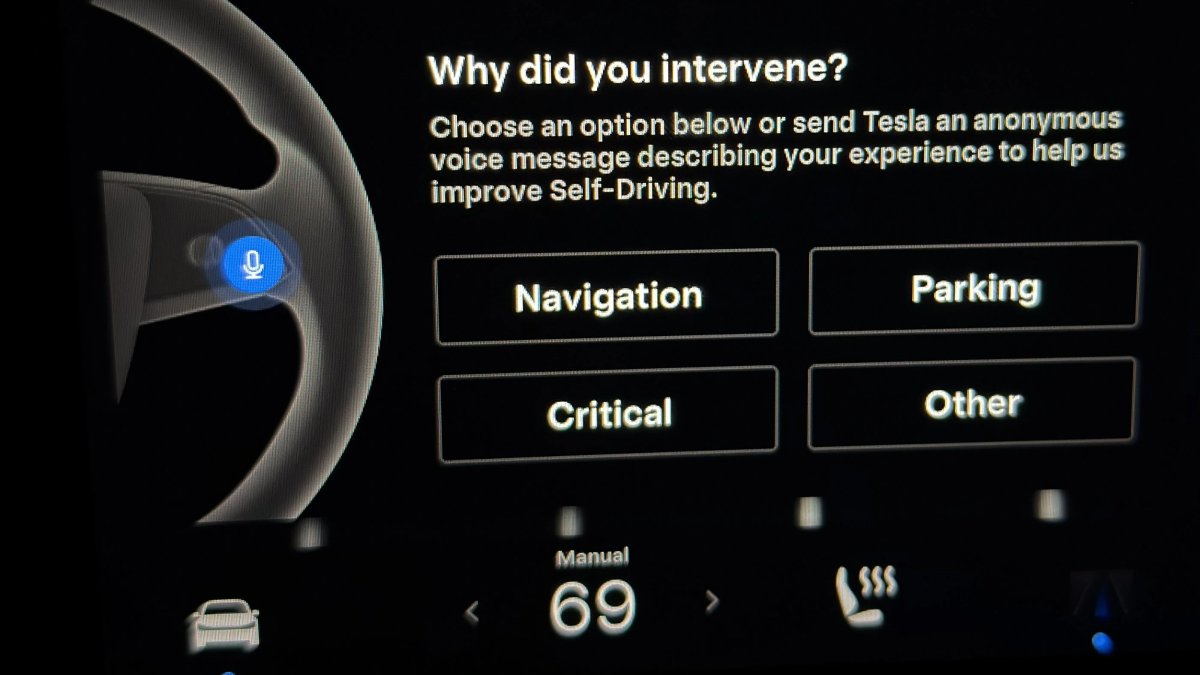

Owners using Tesla’s Full Self-Driving (Supervised) are greeted with a pop-up after every manual takeover asking why the system was disengaged. A loophole that let some drivers avoid submitting feedback has now been closed.
The Death of the Double-Tap
Previously, a quick workaround could dismiss the menu without choosing a reason: tapping the microphone button twice in rapid succession would start and then immediately end a voice memo, closing the prompt.
That method no longer works. Pressing the mic button now starts a voice memo, but a second tap does not stop it right away. A 15-second countdown appears, and the memo cannot be canceled until the timer reaches 12.
Because drivers must wait at least 3 seconds before ending the memo and closing the menu, the bypass is effectively defeated. In most cases, it’s now faster to simply select one of the on-screen options.
Protecting the Data Pipeline
Although the trick was relatively obscure, it was used often enough for Tesla to block it. The disengagement menu arrived with FSD v14.3.2 earlier this spring and remains unskippable. There are only two ways to dismiss it: select a category or record a voice memo.
Even with continued tweaks—such as additional options in FSD v14.3.3 last month—there is still no exit or defer button. The intent is to capture raw data immediately after a takeover.
This feedback appears to be informing feature priorities. Elon Musk recently noted that parking issues are the number one reason drivers intervene. He also announced that FSD will soon be able to copy your parking habits at frequent locations like home or the office to reduce friction. Until that capability arrives, drivers will continue choosing between Navigation, Parking, Critical, or Other.
















Condividi:
Musk Exercises Stock Options Worth $114B, Now Owns More of Tesla
Tesla FSD Will Soon Be Able to Copy Your Parking Habits