


Image du produit SpaceBox.
Si vous êtes fatigué des solutions de montage de téléphone improvisées, un nouveau boîtier doit faire ses preuves. SpaceBox vous offre une connexion téléphonique sans fil ainsi qu'une option filaire sur l'écran d'origine de la Tesla, en plus d'une garantie produit de 2 ans. Dans le comparatif du 11 septembre, Tesery et Carlinkit T2C proposaient des conditions d'un an. Cette année supplémentaire représente une différence de couverture concrète, et non la preuve d'une absence de déconnexion.
Si le système fermé de Tesla vous frustre, la marche à suivre est claire : matériel USB, téléphone appairé et navigateur/interface Tesla. Les mises à jour manuelles du micrologiciel de l'adaptateur permettent de maintenir la compatibilité avec les futures mises à jour de Tesla ; elles font partie de l'usage de cette connexion. En cas d'échec de reconnexion, le guide actuel ainsi que les détails de votre voiture, téléphone et logiciel permettent au support TeslaHubs de traiter votre configuration spécifique. Les connexions téléphoniques sans fil et filaires sont prises en charge ; les performances peuvent varier selon la configuration.
Au 11 septembre, les prix étaient de 139,99 $ pour le SpaceBox, 76,99 $ pour le Tesery et 69,99 $ pour le T2C. La durée de garantie produit plus longue du SpaceBox justifie en partie son prix premium. David Mercer a écrit : C'est mon deuxième kit, cette fois pour ma femme.
Lisez ce témoignage d'achat renouvelé en parallèle des conditions exactes. SpaceBox nécessite un processeur AMD Ryzen et une correspondance exacte du modèle ; l'Australie est exclue.
Si vous détestez brancher des câbles à chaque fois, l'appairage sans fil est un avantage quotidien. CarPlay et Android Auto pris en charge apportent cartes, musique et appels sur l'écran existant. L'avis publié de Mark : Maintenant, ma voiture semble complète !
souligne l'apport de cette interface dans l'habitacle ; celui de Larry Hockman : La recopie d'écran est une fonctionnalité géniale
met en avant une capacité supplémentaire pour une utilisation à l'arrêt.
Lisez l'expérience produit, pas seulement les étoiles
C'est la meilleure solution que j'aie jamais vue.
L'expérience positive d'un client, pas une garantie de fiabilité.
C'est mon deuxième kit, cette fois pour ma femme.
Un achat renouvelé est un contexte utile, pas une preuve que toutes les configurations se comportent de la même manière.
Fonctionne avec Android Auto
SpaceBox prend en charge Android Auto ainsi que CarPlay sur les configurations compatibles.
Vérifiez l'éligibilité pour la livraison et les retours.
Ce qu'il faut vérifier pour votre propre configuration
Les extraits suivants décrivent également des expériences produit individuelles.
La recopie d'écran est une fonctionnalité géniale
Lors de votre configuration
Vérifiez les fonctions de miroir et multimédia prises en charge à l'arrêt. Réservez la vidéo et la recopie d'écran à une utilisation à l'arrêt.
Maintenant, ma voiture semble complète !
Gardez le guide à portée de main
Si la connexion normale ne se rétablit pas, suivez les instructions actuelles et contactez TeslaHubs en communiquant les détails de votre voiture, téléphone et logiciel.
Un changement logiciel peut nécessiter une mise à jour manuelle du micrologiciel de l'adaptateur. Ne supposez pas que chaque problème de reconnexion a une solution universelle.
Lisez les prérequis matériels et de configuration.
Séparez les avis sur le produit des avis sur la boutique
Lisez les expériences spécifiques au produit séparément des avis sur la commande ou la livraison de la boutique. Ils répondent à des questions différentes.
La fiche produit compte plus de 250 avis publiés. Lisez le contexte individuel et les exigences actuelles du produit plutôt que de considérer ce nombre comme une garantie de compatibilité.
Images du produit et de la configuration
Images du produit et de la configuration.
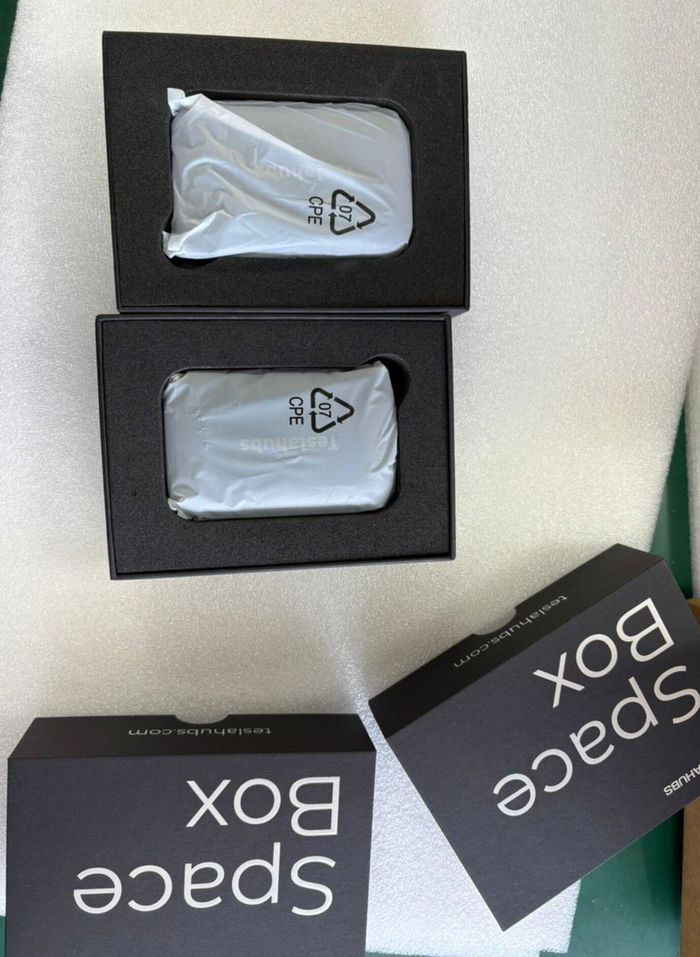
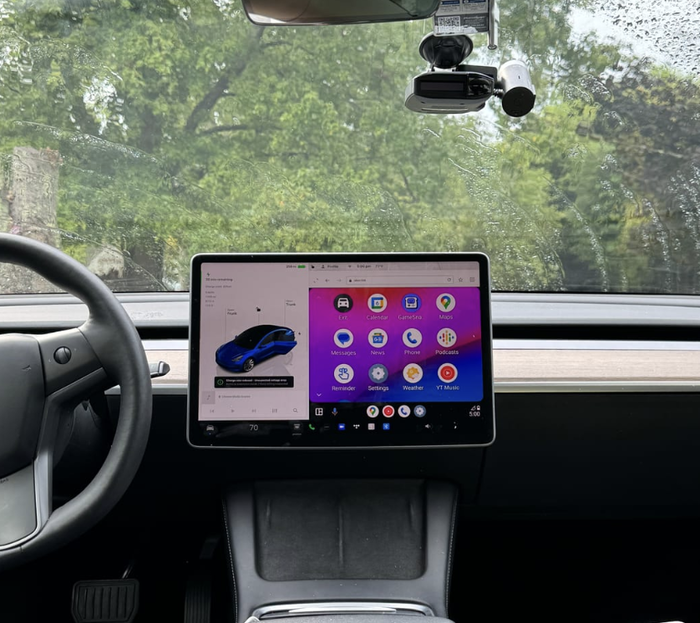
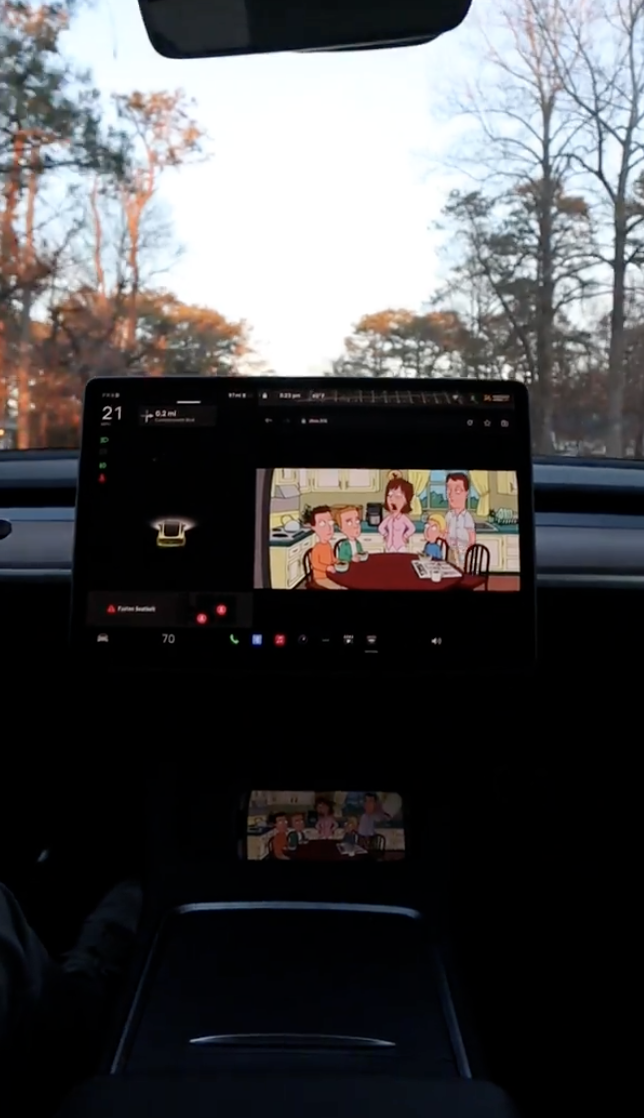
Consultez la fiche actuelle pour les avis sur le produit, les prérequis matériels et l'offre sélectionnée. Les résultats peuvent différer selon la voiture, le téléphone et le logiciel.
Voir le produit actuel
Pour les choix matériels et le processus de connexion, lisez le guide complet CarPlay.