
Tesla FSD (Supervised) v15.0.1 Adds Tesla Reality View, Calm Mode
FSD (Supervised) v15.0.1
v15 updates every component of the end-to-end driving network. Highlights include:
- A new vision encoder shared across FSD, Robotaxi, and Optimus, trained on millions of internet videos for better generalization and data efficiency, improving the critical intervention rate by 25x.
- Tesla Reality View, which consolidates explicit model signals into a single end-to-end visualization while using less total compute.
- Navigation powered by an end-to-end learned model informed by fleet route preference data.
- Smarter parking selection that uses personalized parking history, with maps now showing multiple parking options at your destination.
- Enhanced driver monitoring: vision-based attention checks work more reliably with hats and sunglasses, and higher-speed driver profiles are less strict.
- Better detection of road signs, small animals, road debris, and chains.
- Improved detection of potholes and road details, plus better avoidance of deep standing water.
- Refined speed handling across driver profiles, in school zones and varying speed limits, and during inclement weather.
- Autoshift improvements by unifying with FSD-based gear predictions.
Tesla Reality View
Reality View introduces a real-time generative driving visualization that continuously streams a perspective from a virtual camera positioned above the vehicle, letting you see and control what FSD is planning to do.
- Choose full-screen visualization, maps, or a split view, or select a quiet mode for a calmer cabin.
- Upcoming navigation turns are shown directly within the driving visualization.
- Turn signals are quieter and gently fade after a few clicks.
Speed Camera Slowdown
FSD (Supervised) can now reduce speed when a speed camera is detected. Press the accelerator or increase your speed profile to cancel the slowdown. If you cancel twice at the same camera, the vehicle saves that location and will not slow there again.
To remove saved cameras, go to Controls > Service > Manage Saved Locations.
Bike Rack Mode
With Bike Rack Mode enabled, you can use FSD (Supervised) and Autosteer when a bike rack or similar hitch accessory is installed. FSD (Supervised) will pull over near your destination and will not reverse. Autopark, Summon, and Backup chimes and warnings are disabled in this mode.
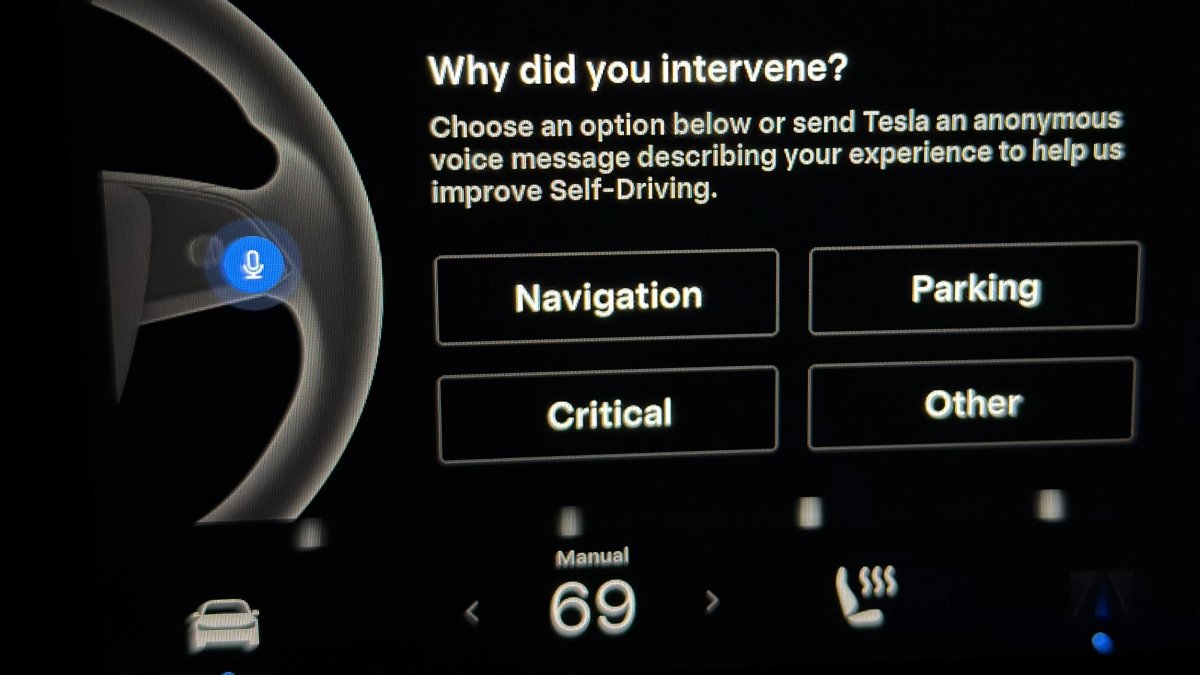
Disengagement Menu

With FSD v15, the disengagement menu that appeared when disabling FSD has been removed. Taking over no longer presents any prompts or dialogs.
Hide FSD Visualizations — Map Mode

FSD v15 adds an option to hide FSD visualizations entirely. In this view, navigation maps expand to full screen, similar to Model S/X where FSD visuals appear on the driver display and the center screen is dedicated to maps.
Calm Mode

Calm Mode, previously available on Robotaxis, comes to consumer vehicles with FSD v15. It minimizes on-screen distractions by hiding FSD visuals and the map. The display shows only key details like vehicle speed, speed limit, next turn, and arrival time, with a simplified dock for vehicle settings, climate, and music.
FSD Streaks

FSD Streaks support is now available on legacy Model S and Model X. Note: This applies to legacy Model S/X vehicles with Intel and HW3.
Model Y L Badge Animation

The Launch Series badge animation is now available on the Model Y L. Tap the badge to see it animate.
Grok No Longer in Beta

The beta label has been removed from Grok in this update.
Service Mode Improvements

Service Mode Update - Quick Touchscreen Language Switch
When entering Service Mode, the customer’s original language setting is saved. If the touchscreen language doesn’t match the default language of the vehicle’s current country, a Change Touchscreen Language button (shown in English) appears at the top of the Service panel to pick a preferred language. Upon exiting Service Mode, the original language is restored. Changing the touchscreen language restarts the user interface. Models: All.
High Voltage Panel Update - Isolation Alert Popup
The High Voltage panel now shows a popup with status details for each isolation health dot. Tapping the dot reveals current isolation resistance values. If healthy, it displays the values; if unhealthy, it also lists any isolation alerts or Diagnostic Trouble Codes (DTCs) present on the vehicle. Models: All.
Halloween Mode Wraps & License Plates for Intel

While Halloween Mode is not available on Intel vehicles, these vehicles still receive the same Halloween Mode wraps and license plates available on AMD vehicles. The remaining features, including the Halloween visualizations, Trick or Treat Mode, and the lock sound, are not available on Intel vehicles.

Teilen:
Tesla FSD v15 Adds Reality View, 25x Better Safety Handling [VIDEO]