
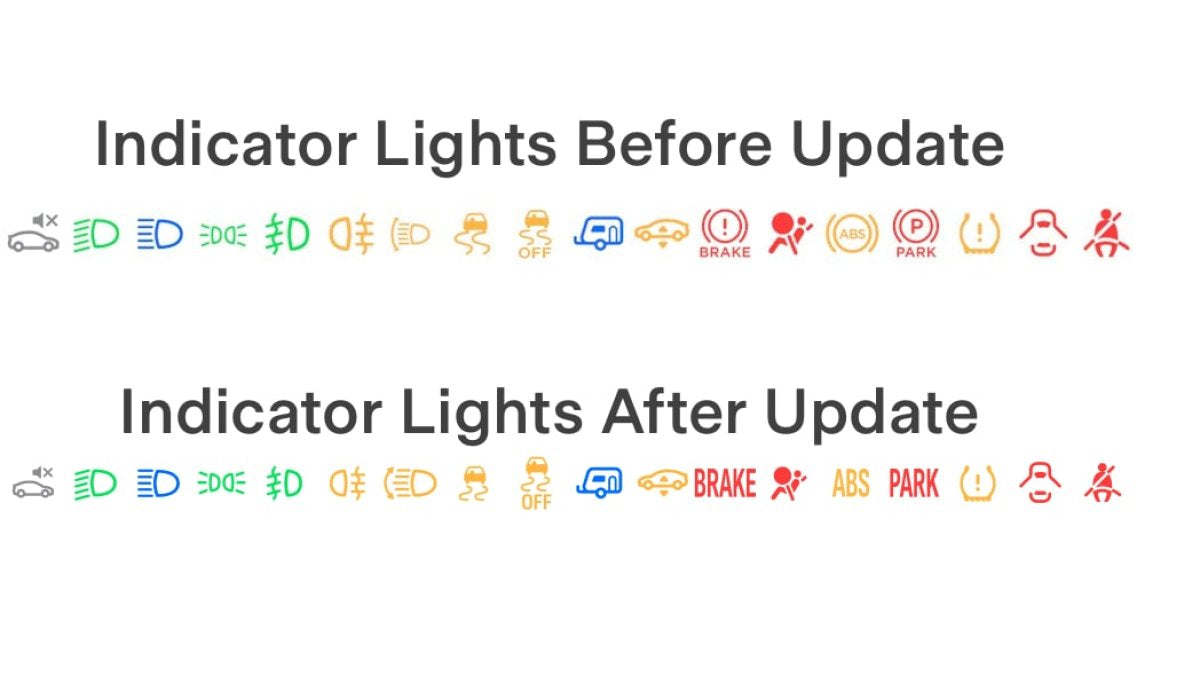
Rückrufe bei Tesla können von einem Over-the-Air-Softwareupdate bis hin zu einer physischen Reparatur in einem Service-Center reichen. Obwohl der Begriff „Rückruf“ die Rückgabe des Fahrzeugs nahelegen könnte, werden viele Tesla-Rückrufe durch Softwareupdates behoben.
Was ist ein Fahrzeugrückruf?
Ein Rückruf wird angeordnet, wenn ein Hersteller oder die National Highway Traffic Safety Administration (NHTSA) in den USA feststellt, dass ein Fahrzeug ein Sicherheitsrisiko darstellt oder nicht den geltenden Sicherheitsstandards entspricht.
Hersteller müssen eine angemessene Lösung anbieten, die die Reparatur oder den Austausch einer Komponente, die Bereitstellung eines Software-Fixes oder, in extremen Fällen, den Rückkauf des Fahrzeugs umfassen kann.
Software-Fix vs. physische Rückrufe

Der Grund für einen Rückruf kann drastisch variieren – von einfachen Änderungen an Symbolen bis hin zur Behebung von Hardwareproblemen, die den Betrieb eines Fahrzeugs beeinträchtigen könnten.
Tesla hatte in der Vergangenheit nur sehr wenige physische Rückrufe. Die meisten Tesla-Rückrufe werden mit einem einfachen Update behoben, ohne dass der Besitzer die Änderung überhaupt bemerkt. Wenn ein Rückruf für den Nutzer sichtbare Änderungen enthält, erwähnt Tesla diese normalerweise in den Software-Versionshinweisen. Wenn jedoch lediglich ein Problem behoben wird, bleibt dies in Teslas Versionshinweisen oft undokumentiert.
Manchmal führt Tesla einen Softwarefehler ein, der einen Rückruf nach sich zieht, welcher dann später durch ein weiteres Update behoben wird. Dies haben wir Anfang des Jahres erlebt, als die Rückfahrkamera in Fahrzeugen erst Sekunden nach dem Einlegen des Rückwärtsgangs ein Bild anzeigte.
Egal, ob die Lösung ein Softwareupdate oder eine physische Reparatur erfordert, das Problem wird als Rückruf eingestuft, sobald es die Sicherheit oder gesetzliche Anforderungen betrifft.
Clevere Softwarelösungen
Manchmal wird Tesla kreativ bei der Problemlösung, um einen kostspieligeren physischen Rückruf zu vermeiden. Im Jahr 2024 gab es bei Tesla ein Problem mit einigen Sitzsensoren, die erkennen, ob ein Sitz belegt ist. Anstatt diese Fahrzeuge zurückzurufen und den Sensor auszutauschen, begann Tesla, die Innenraumkamera zu nutzen, um zu bestimmen, ob jemand auf dem Sitz sitzt.
So prüfen Sie, ob Ihr Tesla von einem Rückruf betroffen ist
Während die meisten Korrekturen automatisch durch Softwareupdates durchgeführt werden, erfordern einige, dass Besitzer ihr Fahrzeug in ein Service-Center bringen oder den mobilen Service von Tesla in Anspruch nehmen.
US-Besitzer können die Website der NHTSA oder die Website der zuständigen Behörde ihres Landes nutzen, um zu prüfen, ob für ihr Fahrzeug Rückrufe anstehen, die behoben werden müssen.
Besuchen Sie einfach die Rückrufsuche der NHTSA, wählen Sie Ihren Bundesstaat aus und geben Sie Ihr Kennzeichen ein oder suchen Sie mit der 17-stelligen Fahrgestellnummer (VIN).
Tesla verfügt auch über ein eigenes Rückruf-Tool. Besuchen Sie einfach das VIN-Rückruf-Tool von Tesla und geben Sie die Fahrgestellnummer Ihres Fahrzeugs ein, um alle mit Ihrem Fahrzeug verknüpften Rückrufe einzusehen.
Sie finden die Fahrgestellnummer Ihres Fahrzeugs unten links an der Windschutzscheibe oder über die Tesla-App. Scrollen Sie in der App ganz nach unten und halten Sie die VIN gedrückt, um sie in Ihre Zwischenablage zu kopieren.
Falls ein physischer Werkstattbesuch erforderlich ist, können Sie einen Termin über die Tesla-App vereinbaren und verwalten.
















Teilen:
Tesla Model 3 vs. Model Y: Reddit-Besitzer sagen, eine Frage entscheidet die Wahl
Musk deutet an, dass Starlink in zukünftige Teslas kommt, da Cybercab integrierte Empfangseinheit zeigt