

Guide produit et configuration TeslaHubs
Nouvelle Tesla, téléphone habituel, pas de bouton CarPlay : voici vos options.
Utilisez l'écran dont vous disposez, ajoutez un écran séparé ou continuez à utiliser votre téléphone. Ce guide explique la différence, en commençant par la solution de l'adaptateur USB qui apporte CarPlay et Android Auto compatibles sur l'écran Tesla existant.

Le choix pratique
Si vous êtes préoccupé par les implications sur la garantie, commencez par ce qui change physiquement : l'adaptateur SpaceBox se connecte via USB. Aucun perçage du tableau de bord ni épissage du câblage d'usine n'est nécessaire. Le boîtier est amovible ; la couverture de la garantie véhicule Tesla reste une question distincte à voir avec votre conseiller de service.
Vous craignez une installation difficile ? Les étapes consistent à connecter le matériel, jumeler le téléphone et ouvrir le navigateur/l'interface Tesla comme indiqué dans le guide. Une utilisatrice ayant laissé un avis, Emma, a écrit : Livré en 4 jours sans problème, connecté en 1 minute
. Son expérience rend l'intérêt concret ; prévoyez du temps pour votre propre configuration et vos tests à l'arrêt.
Vérifiez les exigences actuelles du véhicule et des accessoires
SpaceBox est le pont sans fil entre votre téléphone compatible et l'écran. Le boîtier USB reste avec la voiture tandis que les cartes, la musique et les commandes d'appel prises en charge apparaissent sur l'écran existant. Le commentaire de Mark, Maintenant ma voiture a l'air complète !
, résume bien l'avantage : l'interface téléphonique que vous vouliez, dans l'habitacle que vous avez choisi. Confirmez la présence du processeur AMD Ryzen et votre version exacte avant de commander ; l'Australie est exclue.
Si l'offre à 139,99 $ semble trop belle pour être vraie à ce prix, il y a plus à examiner qu'une simple réduction : l'adaptateur, les câbles inclus, les conseils d'installation, la garantie produit de 2 ans et la livraison gratuite. David Mercer a écrit : C'est mon deuxième kit, cette fois pour ma femme.
Voilà un client qui réitère son choix. Lisez les conditions actuelles et contactez TeslaHubs pour toute question de configuration avant l'achat.
Séparez les informations d'usine des rapports futurs
Évaluez les fonctionnalités d'usine confirmées en utilisant les informations officielles concernant votre voiture.
Une rumeur ou une capture d'écran ne définit ni date de sortie, ni matériel pris en charge, ni interface finale.
Vous pouvez évaluer un accessoire sur ce qu'il prend en charge aujourd'hui sans chercher à prédire le futur logiciel de Tesla.
Questions à tester lors de votre propre configuration
Utilisez-les comme des points à vérifier lors de la configuration, et non comme un taux d'échec mesuré sur tous les appareils.
Réponse de l'interface
La réponse de l'interface peut dépendre de l'appareil, du téléphone et du logiciel. Testez les fonctions que vous utilisez réellement lorsque le véhicule est à l'arrêt.
Reconnexion
Suivez les instructions actuelles de jumelage et de reconnexion pour le produit spécifique.
Exigences en données mobiles
Certains adaptateurs utilisent le point d'accès du téléphone. La version actuelle du Carlinkit T2C via point d'accès téléphonique n'a pas besoin de carte SIM ; vérifiez les besoins en données de votre téléphone.
Informations sur les applications et le véhicule
Vérifiez comment l'application de navigation choisie se comporte sur votre configuration prise en charge. Ne présumez pas que chaque fonction projetée utilise les mêmes données de véhicule que l'interface native.
Rôles de connexion
L'adaptateur et la connexion native du véhicule ont des rôles différents. Suivez le guide actuel si vous devez passer de l'un à l'autre ou résoudre des problèmes de connectivité.
Maintenance DIY
Un projet DIY nécessite son propre matériel, logiciel et tests. Utilisez la documentation actuelle du projet plutôt qu'une garantie fixe de prix des pièces ou de fonctionnalités.
Comparer les cinq options
| Option | Coût matériel | Configuration | CarPlay | Android Auto | Média/miroir | Conseils | Décision |
|---|---|---|---|---|---|---|---|
| Interface téléphone actuelle | Fonctions véhicule existantes | Utiliser le guide du véhicule | Pas une option de projection | Pas une option de projection | Vérifier les fonctions actuelles | Guide du véhicule | Peut déjà répondre à vos besoins |
| Projet DIY | Consulter la liste de pièces | Construire et entretenir | Dépend du projet | Dépend du projet | Dépend du projet | Documentation du projet | Nécessite votre propre config/test |
| Adaptateurs tiers classiques | Tesery 76,99 $ / T2C 69,99 $ | Suivre le guide exact | Tous deux annoncés | Tous deux annoncés | Vérifier l'appareil exact | Conseils du vendeur publiés | Vérifier les exigences/disponibilité |
| SpaceBox | 139,99 $ matériel actuel | USB, jumelage, test à l'arrêt | Pris en charge | Pris en charge | Usage à l'arrêt uniquement | Conseils produit ; conditions | Vérification AMD Ryzen/version |
| Écran séparé | Vérifier prix réel | Lire l'installation exacte | Dépend de l'appareil | Dépend de l'appareil | Dépend de l'appareil | Conseils du vendeur | Ajoute une position de visionnage |
Faites défiler le tableau latéralement pour comparer les options.

Option 1 : Fonctions Bluetooth du téléphone actuel
Utilisez les fonctions de téléphone Bluetooth actuelles du véhicule pour les fonctions qu'il prend en charge.
Le Bluetooth seul ne projette pas un tableau de bord CarPlay. Cela peut toutefois suffire si vous n'avez besoin que des fonctions téléphoniques déjà prises en charge par la voiture.
Choisissez l'interface actuelle si elle répond déjà à vos besoins.
Option 2 : Projet DIY
Le projet Tesla Android est une option DIY distincte à étudier via sa documentation actuelle. Ce n'est pas le même achat qu'un adaptateur prêt à l'emploi.
Lisez la liste du matériel actuel, le processus d'installation du logiciel et les fonctions prises en charge avant d'acheter des pièces.
Choisissez le DIY si vous souhaitez construire et maintenir la configuration vous-même.
Option 3 : Adaptateurs tiers classiques
Comparez les appareils vendus tels quels : la fiche Tesery vérifiée indiquait 76,99 $ et le Carlinkit T2C 69,99 $. Tous deux annoncent CarPlay et Android Auto.
Leur guide de configuration inclut une connexion via le navigateur Tesla. Utilisez l'appareil et la version exacts, pas un nom de marque générique.
Un adaptateur CarPlay filaire vers sans fil pour une voiture ayant déjà CarPlay filaire est un produit différent d'une connexion spécifique à Tesla. Vérifiez le système d'entrée visé.
Comparez le prix, la disponibilité actuelle, le guide réel et les conditions de garantie.
Option 4 : Adaptateur écran existant SpaceBox
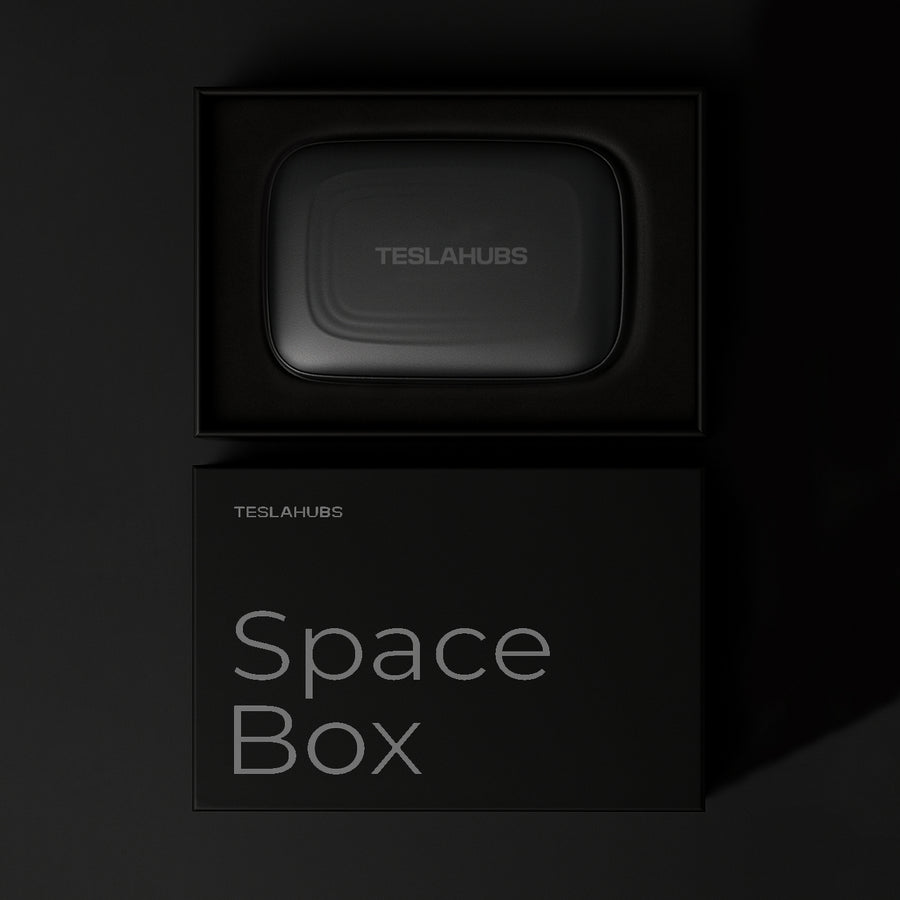
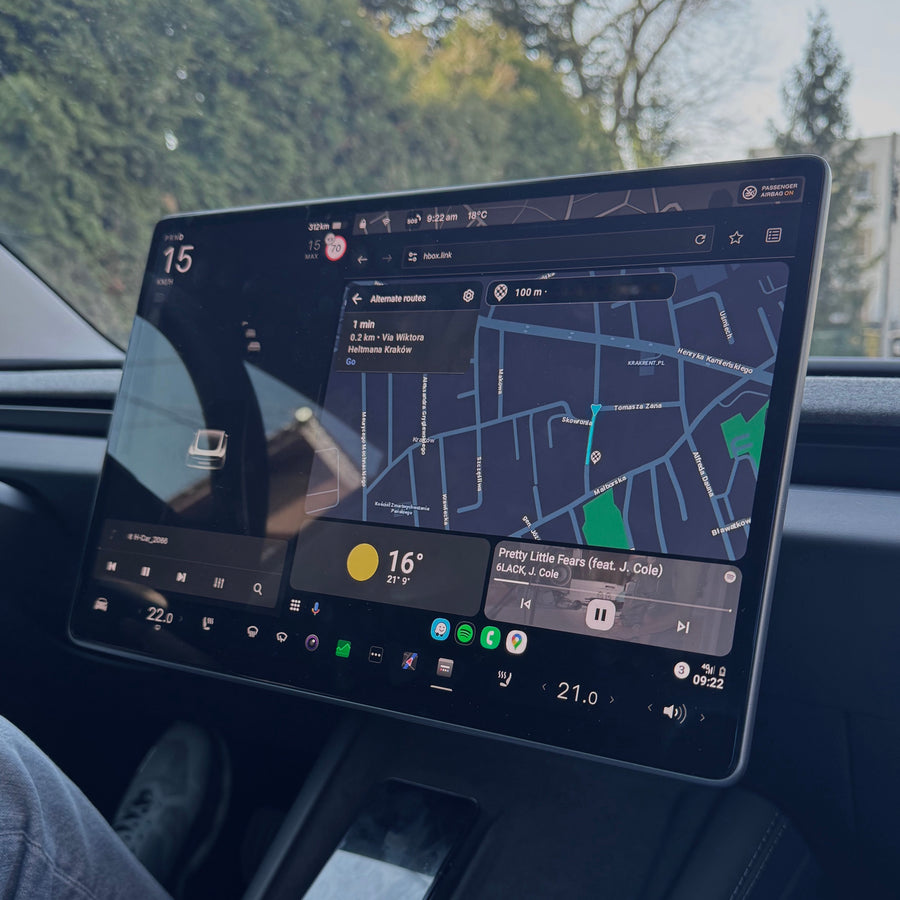
SpaceBox prend en charge CarPlay et Android Auto sur les configurations compatibles, avec des connexions téléphone sans fil et filaires, en utilisant l'écran existant.
Le matériel coûte 139,99 $. SpaceBox nécessite un processeur AMD Ryzen et une vérification exacte du modèle/de la version. L'Australie est exclue.

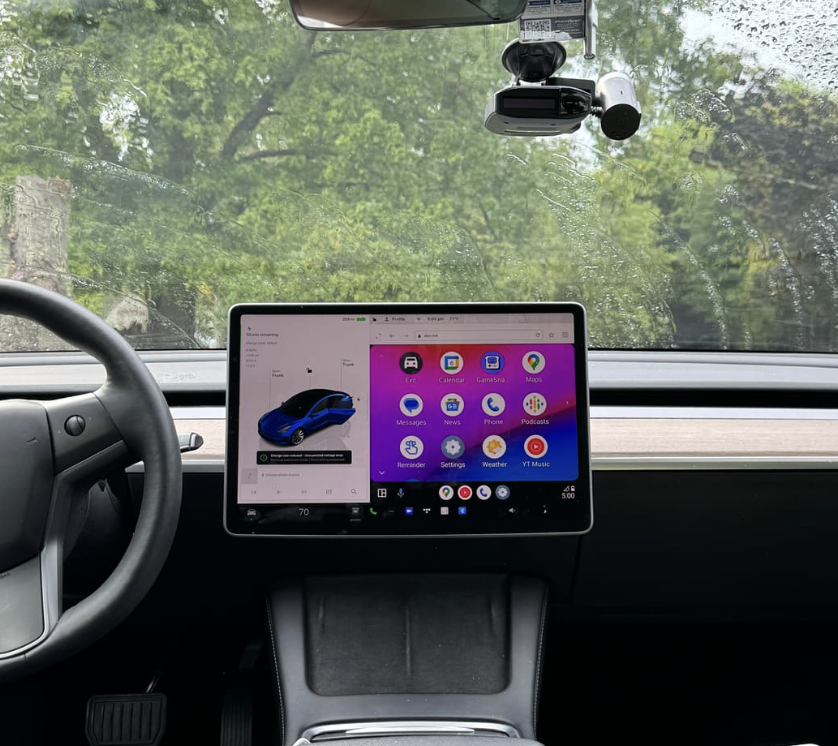
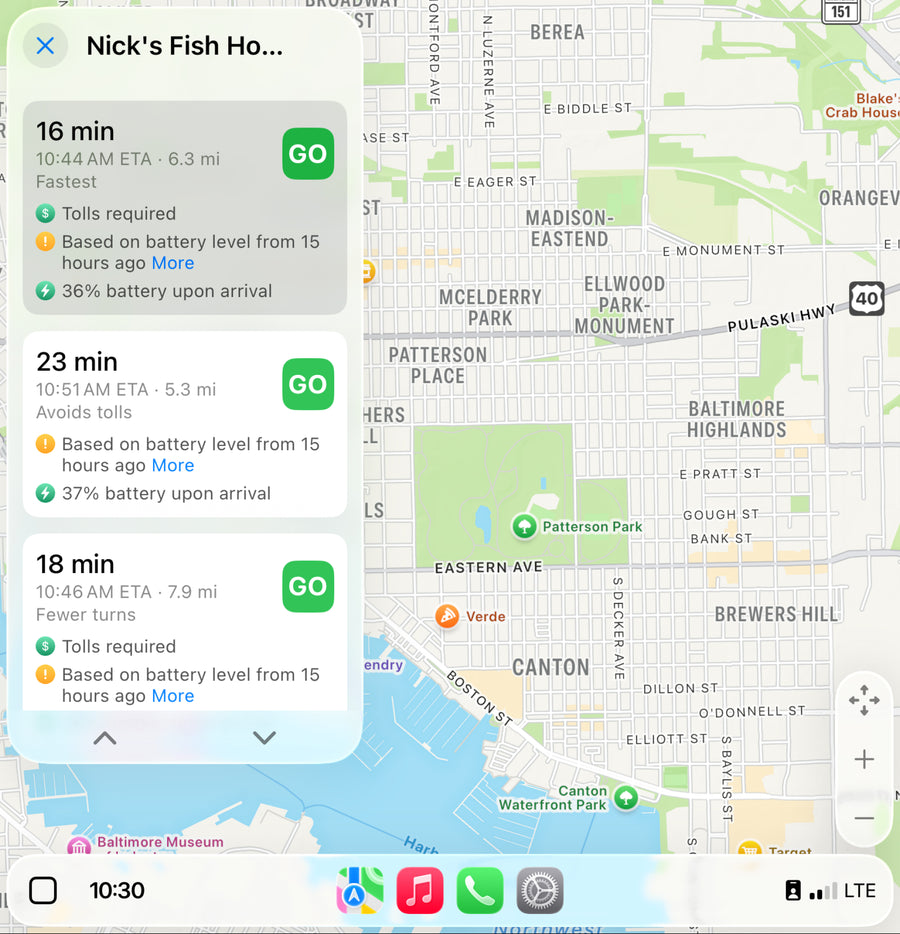
Suivez les instructions de connexion actuelles et vérifiez comment les fonctions natives du véhicule et l'interface de l'adaptateur se comportent dans votre configuration.
Testez l'audio des appels à l'arrêt. Si le jumelage ne se comporte pas comme décrit, utilisez le guide et contactez TeslaHubs avec les détails précis de la configuration.
Des mises à jour manuelles du micrologiciel de l'adaptateur peuvent être nécessaires après des changements logiciels. Gardez les instructions actuelles à portée de main.
Accordez-vous du temps pour vérifier la voiture, connecter l'USB, jumeler le téléphone et tester. Aucun délai d'installation fixe n'est promis.
La garantie produit de 2 ans de SpaceBox diffère des conditions de 1 an vérifiées pour Tesery et T2C. Décidez si cela et les conseils du vendeur justifient le surcoût pour vous.
Vérifiez la livraison actuelle et l'éligibilité aux retours.
Option 5 : Écran séparé
Un écran séparé modifie la position de visionnage. Lisez l'installation exacte, la prise en charge du téléphone et les exigences d'alimentation avant d'en choisir un.
Choisissez un écran séparé si sa position ou ses fonctionnalités sont la raison de votre achat. Ce n'est pas automatiquement un remplacement invasif de l'unité principale.
Vérifiez la compatibilité matérielle exacte
Confirmez le processeur et la version avant de choisir SpaceBox. Utilisez l'écran d'information du véhicule ou demandez à TeslaHubs si vous n'êtes pas sûr.
Exigences matérielles
Choisissez après la vérification du matériel, pas seulement le sélecteur de nom de modèle.
| Modèle Tesla | Exigence matérielle |
|---|---|
| Model Y | SpaceBox nécessite un processeur AMD Ryzen et une vérification exacte du modèle/de la version. L'Australie est exclue. |
| Model 3 | SpaceBox nécessite un processeur AMD Ryzen et une vérification exacte du modèle/de la version. L'Australie est exclue. |
| Model S | SpaceBox nécessite un processeur AMD Ryzen et une vérification exacte du modèle/de la version. L'Australie est exclue. |
| Model X | SpaceBox nécessite un processeur AMD Ryzen et une vérification exacte du modèle/de la version. L'Australie est exclue. |
| Cybertruck | SpaceBox nécessite un processeur AMD Ryzen et une vérification exacte du modèle/de la version. L'Australie est exclue. |
Non pris en charge en Australie.
Connectez et testez à l'arrêt
L'adaptateur utilise du matériel USB amovible sans perçage ni câblage permanent. Suivez le guide d'installation pour votre configuration exacte.
- 01 Confirmez la voiture, la version et le processeur par rapport aux exigences actuelles du produit.
- 02 Garez-vous avant la première configuration et les tests.
- 03 Connectez le matériel USB comme indiqué dans le guide actuel.
- 04 Suivez les instructions de jumelage du téléphone et de navigateur/interface.
- 05 Utilisez la connexion téléphonique prise en charge pour CarPlay ou Android Auto.
- 06 Suivez le guide pour un accès pratique à l'interface.
- 07 Testez la navigation et l'audio des appels avant de conduire.
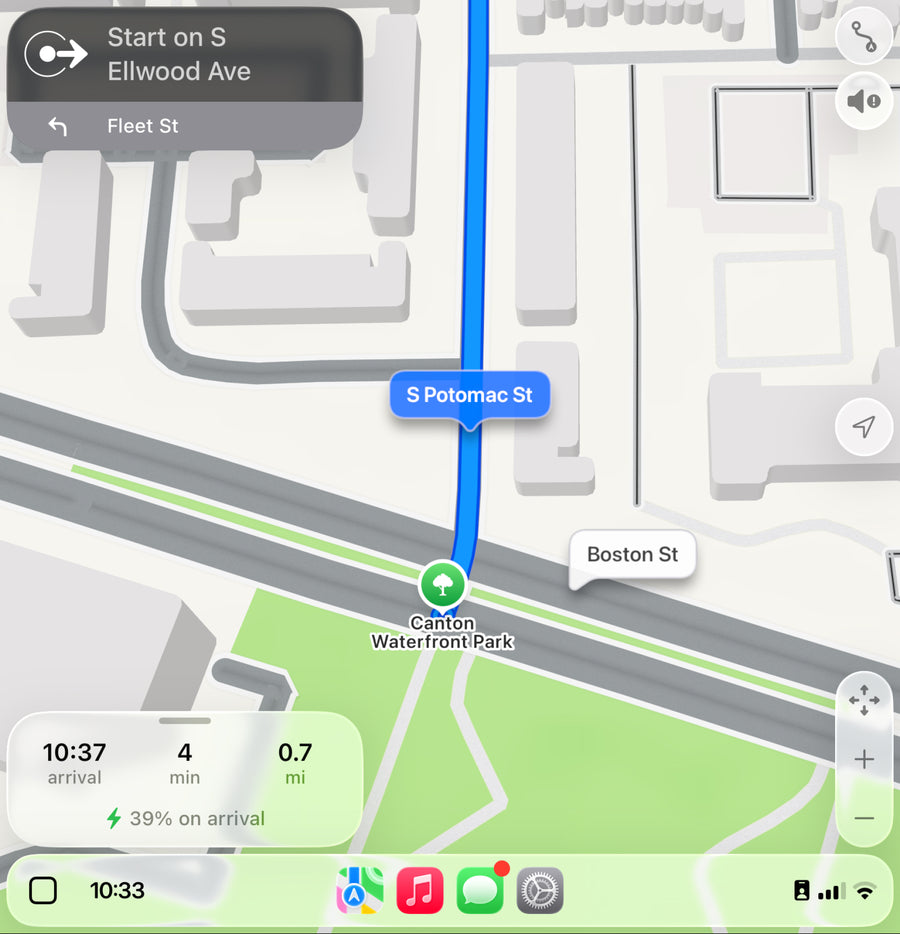
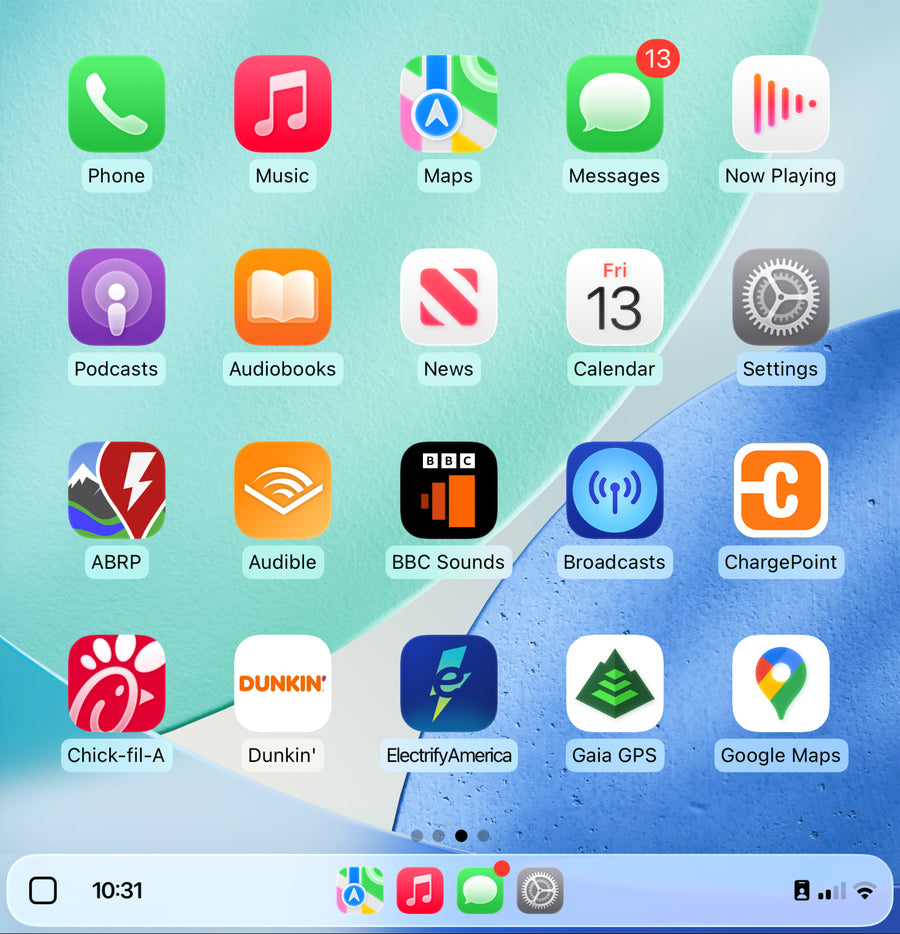
Lisez les instructions d'installation et de mise à jour manuelle du produit avant de commander.
Contactez TeslaHubs avec les détails du modèle, de la version et du téléphone si une étape n'est pas claire.
Pour des expériences produit individuelles, lisez le guide d'évaluation du SpaceBox. Lire cinq extraits d'avis publiés sur le SpaceBox
Extraits d'avis produits publiés
Les courts extraits ci-dessous correspondent à des avis produits publiés et décrivent des expériences individuelles.
C'est la meilleure solution que j'aie jamais vue.
Hartman · Extrait d'avis produit SpaceBox publié
C'est mon deuxième kit, cette fois pour ma femme.
David Mercer · Extrait d'avis produit SpaceBox publié
Fonctionne avec Android Auto
Lonnie Thomas · Extrait d'avis produit SpaceBox publié
La recopie d'écran est une fonctionnalité géniale
Larry Hockman · Extrait d'avis produit SpaceBox publié
Maintenant ma voiture semble complète !
Mark · Extrait d'avis produit SpaceBox publié
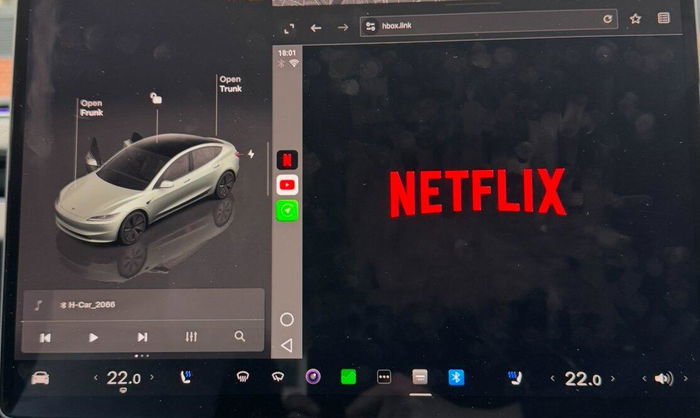
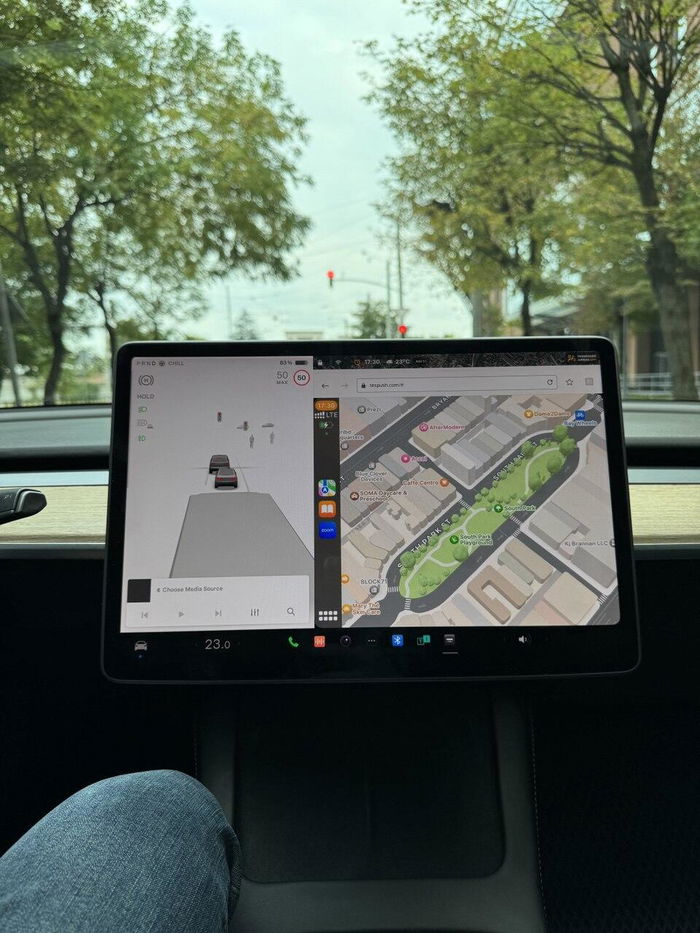
Lisez les plus de 250 avis publiés sur la fiche produit actuelle. Les avis ne sont pas tous vérifiés par un achat, et le contexte de l'installation compte.
Décider d'attendre ou d'acheter le matériel
Vous pouvez attendre si l'interface actuelle répond déjà à vos besoins.
L'achat est simple : 139,99 $ pour un adaptateur qui apporte une interface téléphonique prise en charge sur l'écran existant, avec jumelage et un entretien manuel occasionnel du micrologiciel.
Attendre peut être un choix raisonnable. Aucun accessoire n'est nécessaire simplement parce qu'une fonctionnalité pourrait apparaître plus tard.
Une future version d'usine devra être évaluée sur la base des capacités confirmées pour votre voiture lorsqu'elle sera disponible.
Vérifiez le matériel exact de votre Tesla
Vérifiez la compatibilité et les conditions d'achat avant l'installation. Demandez un retour dans les 30 jours suivant la livraison pour les articles non utilisés dans leur emballage d'origine. Lisez la politique complète avant l'installation.
Voir le Space Box →Questions sur la configuration et l'achat
Où vérifier les fonctionnalités d'usine ?
Utilisez les informations de version officielles pour les fonctionnalités d'usine. Ce guide ne garantit pas une future fonctionnalité Tesla ou une date de sortie.
Qu'en est-il de la garantie de mon véhicule ?
La garantie du produit et la couverture du véhicule sont distinctes. Renseignez-vous auprès de votre conseiller de service Tesla sur votre situation.
Tous les adaptateurs sans fil sont-ils interchangeables ?
Identifiez le système exact visé. Un dongle filaire-vers-sans-fil et un adaptateur spécifique à Tesla ne sont pas des catégories interchangeables.
Le SpaceBox prend-il en charge les deux plateformes téléphoniques ?
SpaceBox prend en charge CarPlay et Android Auto sur les configurations compatibles. Suivez les instructions spécifiques au téléphone.
Qu'en est-il de la vidéo et de la recopie d'écran ?
Utilisez les médias pris en charge et la recopie d'écran uniquement en stationnement. Ne regardez pas de vidéo en conduisant.
Qu'en est-il des fonctions natives du véhicule ?
Suivez le guide du produit pour basculer ou dépanner les connexions ; ne supposez pas que toutes les fonctionnalités natives du véhicule sont reproduites dans l'interface téléphonique.
Et si une fonctionnalité d'usine arrive plus tard ?
Une future mise à jour d'usine ne crée pas un droit de remboursement spécial. Demandez un retour dans les 30 jours suivant la livraison pour les articles non utilisés dans leur emballage d'origine. Lisez la politique complète avant l'installation.
Comment confirmer mon processeur ?
Vérifiez les informations informatiques du véhicule et la fiche actuelle du SpaceBox, ou demandez à TeslaHubs de confirmer la version exacte.
Toujours incertain ? Vérifiez la compatibilité sur la page produit.