

Tesla Adds Grok Button to Navigation Search in 2026.44.1

Tesla has introduced a Grok shortcut in the vehicle’s navigation search. X user @TheBritishGP spotted a new Grok button that appears when searching for destinations in software update 2026.44.1, providing a faster way to find places by voice (via @TeslaNewswire).
How It Works
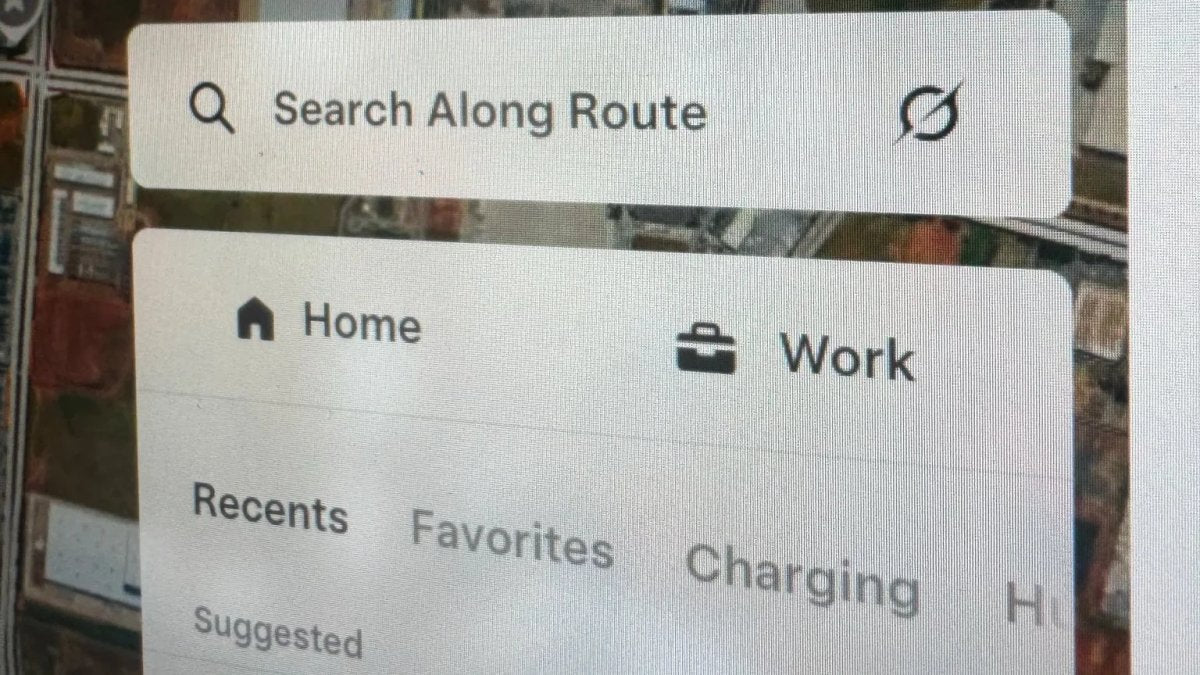
The Grok icon appears on the right side of the search field in the Navigate card. If you’re already on a route, it shows up in the “Search Along Route” bar.
Tapping the icon opens the Grok assistant panel at the bottom of the screen. In a clip shared by @TheBritishGP, asking Grok for a hospital displays nearby hospitals on the map, including distances and opening hours.
Grok already supported finding places and stops along your route, but the new shortcut puts it exactly where you would normally start typing.
What Else Is in 2026.44.1
The button is not listed in the 2026.44.1 release notes, which primarily detail a redesigned Service menu and a cleaner Supercharger map view. Code discovered in the same update also hints at additional Grok enhancements, including in-car chat history in the Grok mobile app and on the web, plus a new on-device model for the “Hey Grok” wake word.
Bigger Grok Features Are Coming
Tesla has been developing larger Grok capabilities for months. The owner’s manual has teased sending text messages with Grok, and in July Ashok Elluswamy confirmed that Tesla is working on bringing FSD commands to Grok, such as telling the car which driveway to pull into or which parking spot to take.
Neither feature has rolled out yet; they may arrive with this year’s holiday update, which is expected to begin next month and include several new Grok features and improvements.











Share:
Tesla App 4.63.0: Google Maps And Upcoming Battery Preconditioning
China Owners Unlock FSD on 2026.26.200; Tesla Issues OTA Fix