


A little-known capability in Tesla’s FSD lets drivers influence the car’s path without physically taking the wheel. Highlighted recently by @HerrMan2022, it has been possible for some time, though many owners haven’t noticed.
By activating the turn signal, you can "force" the vehicle to make a specific turn and follow your preferred route, temporarily overriding the navigation in real time.
The exact introduction date isn’t clear, but it works on HW3 vehicles running FSD v12.6.4. It serves as an alternative to disengaging FSD to make the turn yourself and resembles a hands-off version of NVIDIA’s cooperative steering feature.
How it Works: Signaling Your Intent
Historically, the Tesla Vision-based advanced driver assistance system has listened to turn signals for lane changes on highways—signal left and the car looks for a gap. At city intersections, however, it strictly followed the blue line on the map; if the navigation said "go straight," it went straight, even with the blinker on.
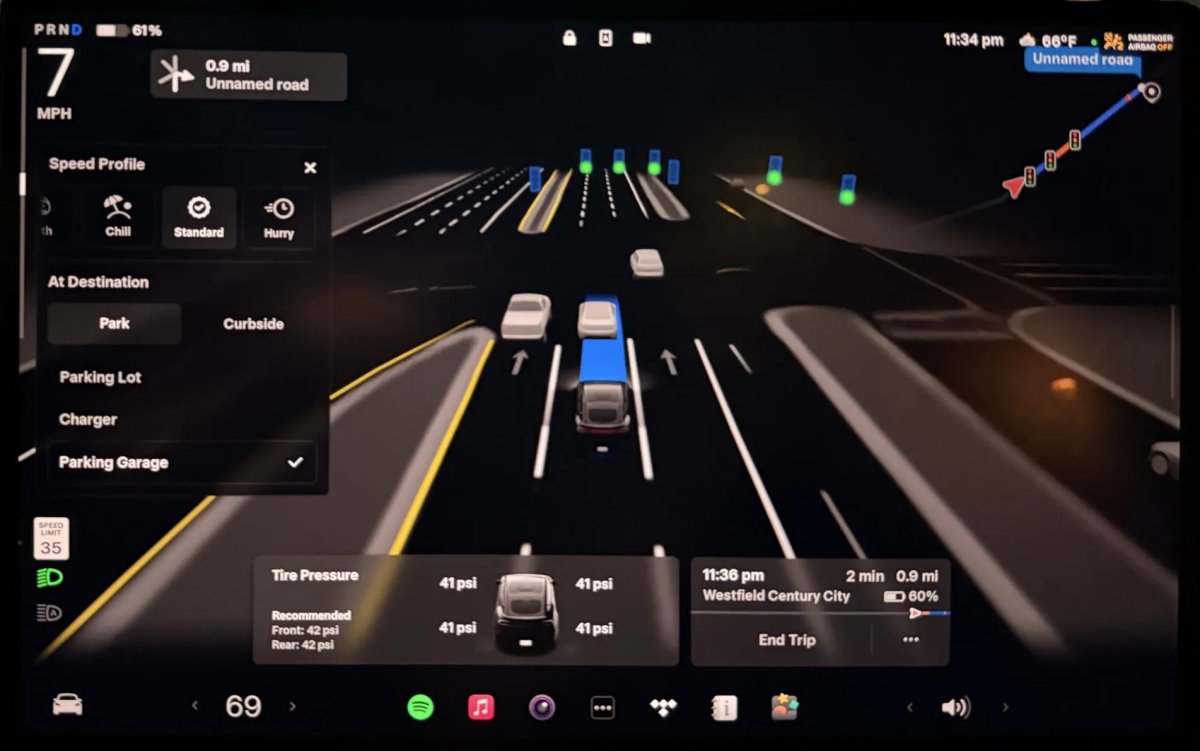
That has changed. With a destination set, if you approach an intersection where navigation prefers going straight, simply turn on your signal. The car recognizes the intent to deviate, executes the turn, and then immediately recalculates the route to align with the path you want to take.
There is one caveat: a destination must be set. With FSD enabled but no active navigation, the system doesn’t appear to interpret the turn signal as a cue to force a turn. It seems to need the final destination as an anchor to understand that you’re proposing a different way to get there, at least for now.
Taking Control of the Route
A long-standing limitation of Tesla’s navigation is the inability to define preferred routes. Even when you pick an alternative at the start of a trip, the car often defaults to what it determines is fastest. Using the turn signal this way acts as a soft override, letting you guide the AI without disengaging the system.
Tesla recently discontinued the one-time purchase option for FSD in the U.S., so new owners are primarily accessing it via a monthly subscription. As more drivers move to subscriptions, small quality-of-life capabilities like this help make the $99-a-month price feel worthwhile.
It’s a subtle but meaningful change in driver–AI interaction. Instead of the car just "doing its thing," it’s starting to respond to mid-cruise input from the person in the driver’s seat.

Share:
Tesla Updates Safety Report: Widening Safety Gap Between FSD And Humans
Tesla Wins FCC Approval for Wireless Cybercab Charging