
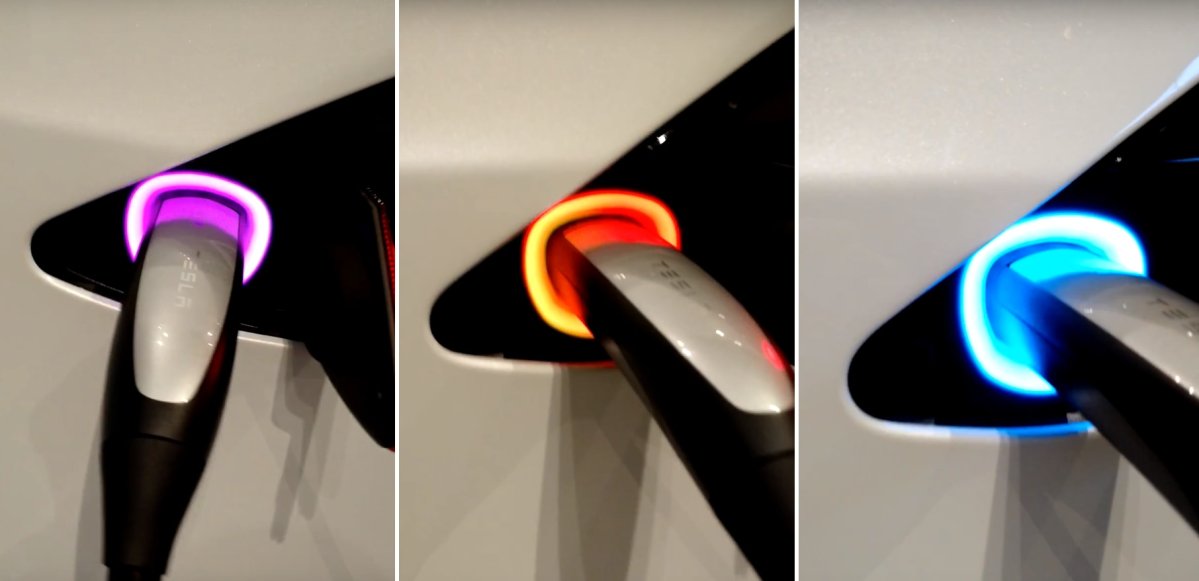

Tesla has hidden many Easter eggs in its vehicles over the years, and one of the earliest remains available: a rainbow animation for the charge‑port status light when the car is plugged in. Tesla even references this Easter egg in the owner’s manuals.
Tesla’s Rainbow Charge Port Easter Egg
When enabled, the charge‑port light cycles through a sequence of colors instead of showing the usual charging status. The effect is most striking on legacy Model S and Model X vehicles where the illuminated area surrounded the charge inlet. Newer designs use a smaller charge‑port status light, so the animation is less dramatic, but the feature is still present.
How to Activate the Rainbow Charge Port
This is a true Easter egg that can’t be turned on from the vehicle’s screen or the Tesla app. While the vehicle is plugged in, quickly press the button on the Tesla charging connector at least 10 times. The charge‑port light should then begin its rainbow animation.
This works with Tesla’s mobile connector and Wall Connector, and it also works at Tesla Superchargers.
For legacy Model S/X vehicles in other regions that use the larger CCS connector, Tesla includes several lights outside of the charge port that will flash when the Easter egg is active.
What Tesla’s Charge Port Colors Mean
When the Easter egg isn’t running, the charge‑port LED colors indicate what the vehicle and charger are doing, making it easier to spot issues. Here are the common meanings:
| Charge Port Light | Meaning |
|---|---|
| White or light blue | Charge port is open and ready |
| Blinking blue | Vehicle and charger are communicating |
| Solid blue | Charger is connected, but charging hasn’t started |
| Blinking green | Actively charging |
| Solid green | Charging complete |
| Solid amber | Connector isn’t fully inserted |
| Blinking amber | Charging is occurring at reduced current |
| Red | A charging fault has been detected |
Tesla notes that the green blinking rate slows as the battery approaches its charge limit. A red light means charging has stopped because a fault was detected, while amber generally indicates a connector or charging‑current issue. Despite their practical purpose, these LEDs can temporarily be switched to a rainbow animation—keeping one of Tesla’s oldest and simplest Easter eggs alive.
















Share:
Tesla Adds FSD Stats Rainbow Easter Egg to Tesla App [VIDEO]
Tesla Adds Vehicle-to-Load (V2L) to Model Y Premium — Check If Yours Is Compatible