
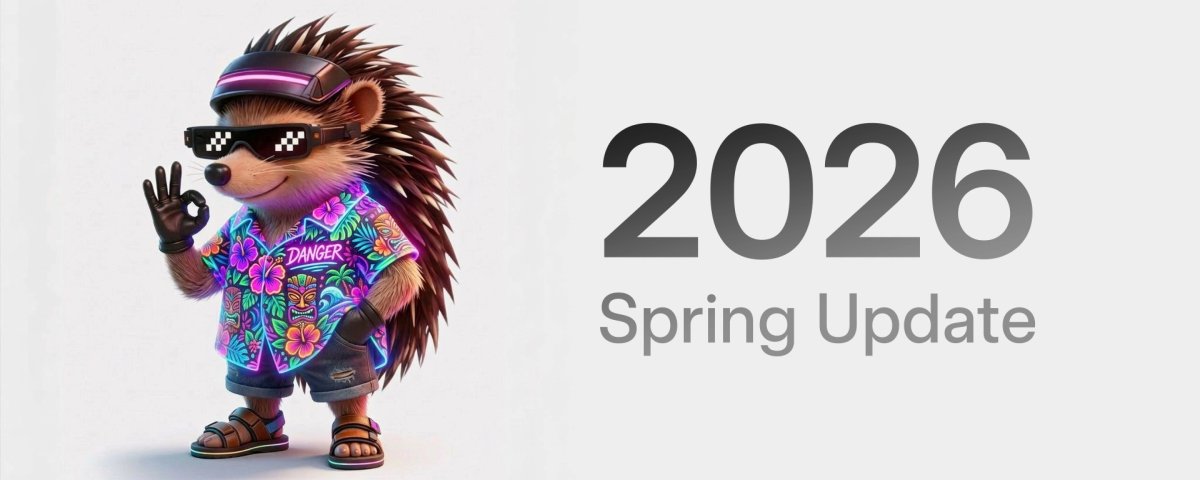

Tesla has outlined a substantial Spring 2026 software update that changes how drivers interact with their cars, introducing a wake word for xAI’s Grok and a dedicated Self-Driving app, among many other additions. In an announcement on X, the company confirmed the update is "rolling out shortly," bringing a variety of technical and quality-of-life improvements.
New Self-Driving App
A new Self-Driving app is available for vehicles with AI4 (Hardware 4) computers. It lets owners subscribe to FSD, review FSD usage by day or month, and watch tutorials covering specific FSD features.
The app also introduces the robust "FSD (Supervised) Stats screen" that recently appeared in the Netherlands. Owners can see their FSD usage percentage, track multi-day streaks, and view bar charts of usage over time from a single screen.
"Hey, Grok" Wake Word
The long-teased "Hey, Grok" wake word is now live. Drivers can launch the xAI-powered assistant by saying "Hey Grok." Grok can set location-based reminders, such as "remind me to pick up milk when I'm near home." Work to let Grok directly control FSD and replace the voice command system is still pending.
Pet Mode
Dog Mode is being rebranded to Pet Mode. Owners can choose a dog, cat, or hedgehog for the on-screen display while they are away, and can personalize the screen with their pet’s name.
New "More Apps" Icon
The App Launcher’s "More Apps" icon changes from three dots to a folder-style graphic, echoing how iOS presents folders.
Higher-Quality Car Visualizations
Higher-fidelity vehicle models now appear on the parked screen. Tesla says this is for the new Model 3 and Model Y (the redesigned versions), and support for the Cybertruck and other Model 3 and Model Y vehicles with AMD processors may arrive in a future update.
Trip Stats and Energy Tracking
Trip meters gain graphs, and the former Trips card next to the media player is being replaced. The new Trip Stats feature lets you create multiple trips to track energy across different drives. Consumption data is accessible by swiping left on the media player, and it now appears you’ll swipe vertically to switch among "Since Charge," "Current Drive," and other saved trips. This will likely be limited to the Model 3, Model Y, and Cybertruck, although Tesla did not specify.
You can also reach this screen via App Launcher > Energy > Trips.
Customization for Model S and X
Model S and X owners can personalize their in-car avatars with window tints, custom wraps, and license plates. This follows the 2025 rollout for the Model 3 and Y and the 2024 launch for the Cybertruck.
Customization is available in App Launcher > Toybox > Paint Shop, or by tapping the paint or license plate button in Controls > Software.
Blind Spot Warning Accent Lights
Ambient accent lights in the Cybertruck, "Highland" Model 3, refreshed Model Y, and 2026 Model S/X gain safety functions. The lights turn red when something is in your blind spot with a turn signal active and flash red to prevent "dooring" accidents when an approaching object is detected while parked.
Premium Immersive Sound
On Model 3 and Model Y vehicles with the premium audio stack, a new "Premium Immersive Sound" mode uses advanced sound extraction to create a more detailed soundstage within an "Immersive" space. It works with all streaming sources, including Spotify and Apple Music.
Adjust it via Settings > Audio > Tone > Immersive Sound.
Sketchpad Improvements
Sketchpad adds full support for stickers and emojis. Users can drag and drop graphics onto drawings, similar to the AMD-only Photo Booth app. You can also save your sketches to the car’s storage, which syncs to the Tesla mobile app for viewing or sharing later. This is expected for all AMD-based vehicles.
Automatic Updates
An "Automatically Install Updates" toggle allows the car to download and install releases overnight without input. Note that the vehicle is not driveable for about 45 minutes once an installation starts.
Weather Map Improvements
Weather maps get clearer colors to distinguish rain from snow and differentiate precipitation types, plus an "hour-back" history to review recent changes.
Dashcam Improvements
The Dashcam buffer expands from one hour to up to 24 hours, aligning with a change previously rolled out in China earlier this year. Clips can be saved for permanent storage under App Launcher > Dashcam Viewer.
Easier Way to Queue Music
New gestures streamline music control: swipe right on any track in Apple Music or Spotify to add it to the play queue. Platform shortcuts include tap-and-hold on a track in Apple Music to add or remove it from Favorites, and a left swipe in Spotify to manage Liked Songs.
Rear Screen Maps
Passengers on the rear touchscreen can now view and interact with maps while the vehicle is navigating, letting them follow trip progress or explore nearby places without affecting the driver’s main navigation display.
Hardware Compatibility
The Self-Driving app is limited to AI4 hardware. Features such as Pet Mode, Energy Trips, automatic updates, and weather/dashcam improvements are expected to work on older Intel Atom–based vehicles. New car visualizations and Sketchpad stickers, similar to the AMD-only Photo Booth, will likely remain exclusive to Ryzen-powered vehicles.
CarPlay, Where Art Thou?
Apple CarPlay remains absent. Although there has been work toward better Apple integration, this Spring release does not mention CarPlay. Whether support appears in a later 2026 update remains unclear.
Tesla says this update will reach owners soon, with a gradual rollout expected.
















Share:
Tesla FSD (Supervised) in Europe: Here's What's Different
Tesla to Let Drivers Hide Third-Party Superchargers in Trip Planner