
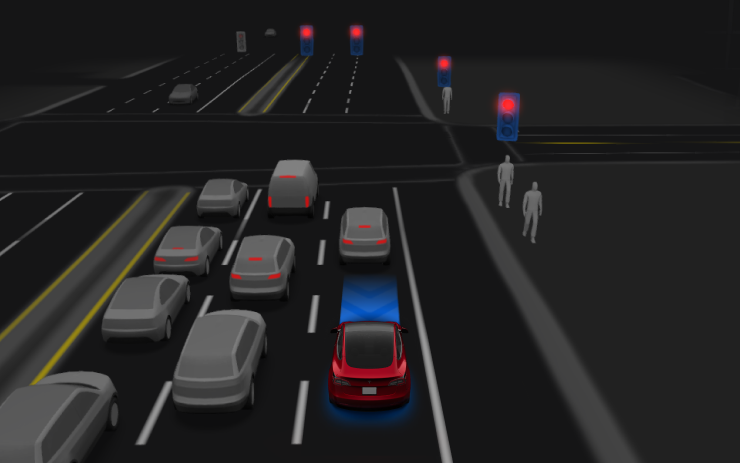
This release adds FSD v14 Lite for HW3 vehicles.
FSD (Supervised) v14 Lite

- Intelligence from HW4 V14 has been distilled into HW3 so HW3 can learn to handle scenarios using HW4 V14 as a guide, unlocking HW4 improvements such as Reinforcement Learning (RL) and offline models for HW3.
- Enhanced proactive and reactive responsiveness across navigation handling, merges and forks, pedestrian interactions, traffic lights, and vehicle cut-in scenarios.
- Improved comfort in typical driving with fewer false slowdowns, smoother steering, and more consistent lane centering.
- New capabilities include parking, unparking, and reversing.
- Arrival Options let you choose where FSD should park: Parking Lot, Street, Driveway, or Curbside.
- Speed Profiles are now available at all times to fine-tune driving style.
Start Self-Driving from Park

- Driver is seated in the driver’s seat.
- Driver is buckled.
- Cabin Camera is unobstructed.
To engage FSD (Supervised), tap Start Self-Driving, then press and release the brake pedal.
This feature does not make the vehicle autonomous; remain attentive and ready to take over at any time. Only a licensed driver authorized to operate the vehicle should have access to the driver’s seat whenever the vehicle is not in Theater or Arcade modes.
Arrival Options

- Select an arrival option such as Parking Lot, Street, Driveway, Parking Garage, or Curbside for Robotaxi-style drop-offs.
- Arrival option preferences and preferred parking positions are saved per destination.
Speed Profiles

FSD (Supervised) now sets speed based on a combination of driver profile, speed limit, and surrounding traffic.
- Introduces the SLOTH Speed Profile with lower speeds and more conservative lane choices than CHILL.
- Driver profile more strongly influences behavior; more assertive profiles allow a higher max speed.
- The right scroll wheel now adjusts the Speed Profile setting instead of a precise max speed offset in mph/kph.
UI Improvements

You can adjust settings such as Speed Profile and Arrival Options directly from the Autopilot visualization on the center display.
Full Self-Driving (Supervised)

With your supervision, Full Self-Driving (Supervised) can operate the vehicle in a wide variety of situations: start from a parked position, make lane changes, choose forks to follow your navigation route, navigate around other vehicles and objects, make left and right turns, and park at your destination.
Use additional caution and remain attentive; it does not make the vehicle autonomous. To use it, press Start Self-Driving on the UI or press the right scroll wheel button once. You can disable Full Self-Driving (Supervised) in Self-Driving Settings.
Service Mode Improvements

Available Worldwide.
Forward Camera View Cleaning Panel
A new Forward Camera View Cleaning panel is available under Driver Assist to help clean the windshield area in front of the cameras. It shows a live camera stream with the ability to zoom in.
Models: Model 3, Model Y, Model S (2021+), Model X (2021+) with DAS AI4 and Cybertruck
Drive Unit Panel Update - Signal Chart Popups (Service Mode Plus)
The Drive Unit panel now supports interactive signal chart popups. Tapping signals with a chart icon opens a draggable, resizable popup window for real-time signal monitoring.
Models: Model 3, Model Y, Model S (2021+), Model X (2021+), Cybertruck
Credit @maxbrco / X
















Share:
Tesla Launches FSD V14-Lite: First Impressions
Cybercab vs Consumer Teslas: Door, Window, and Seat Controls